Big Data: using Amazon Kinesis with the AWS.NET API Part 4: reading from the stream
December 22, 2014 7 Comments
Introduction
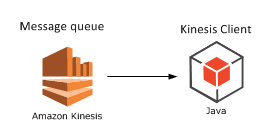
In the previous post of this series on Amazon Kinesis we looked at how to publish messages to a Kinesis stream. In this post we’ll see how to extract them. We’ll create a Kinesis Client application.
It’s necessary to extract the messages from the stream as it only stores them for 24 hours. Also, a client application can filter, sort and validate the incoming messages according to some pre-defined rules.
Our demo client will be a completely separate application. We’ll see some duplication of code but that has a good reason. We’ll want to simulate a scenario where the producers are completely different applications, such as a bit of JavaScript on a web page, a Java web service, an iOS app or some other smart device. Our Kinesis producer is good for demo purposes but in reality the producer can be any software that can send HTTP requests. However, if both your producer and client apps are of the same platform then of course go ahead and introduce a common layer in the project.
Open the demo app we’ve been working on and let’s get to it.
The Kinesis client
Add a new C# console application called AmazonKinesisConsumer. Add the same NuGet packages as before:


Add a reference to the System.Configuration library already now. Also, add the same configurations to app.config:
<appSettings>
        <add key="AWSProfileName" value="demo-aws-profile"/>
	<add key="KinesisStreamName" value="test-stream"/>
</appSettings>
Insert the same WebTransaction object again:
public class WebTransaction
{
	public long UtcDateUnixMs { get; set; }
	public string CustomerName { get; set; }
	public string Url { get; set; }
	public string WebMethod { get; set; }
	public int ResponseTimeMs { get; set; }
}
We’ll make it easy for us here and re-use the same WebTransaction object as we know that we’ll be able to parse the incoming JSON string. However, as mentioned in the first post of this series, be prepared for different message formats and property names. If you can, always aim for some well accepted standard such as JSON or XML, they are easy to handle in code. E.g. if the incoming JSON has different names – including variations in casing – then you can use the JSON library to match the property names:
public class WebTransaction
{
	[JsonProperty(PropertyName="dateUtc")]
	public long UtcDateUnixMs { get; set; }
	[JsonProperty(PropertyName = "cust")]
	public string CustomerName { get; set; }
	[JsonProperty(PropertyName = "url")]
	public string Url { get; set; }
	[JsonProperty(PropertyName = "method")]
	public string WebMethod { get; set; }
	[JsonProperty(PropertyName = "responseTime")]
	public int ResponseTimeMs { get; set; }
}
In any case you can assume that the messages will come in as strings – or bytes that can be converted to strings to be exact.
Do not assume anything about the ordering of the messages. Messages in Kinesis are handled in parallel and they will be extracted in batches by a Kinesis client. So for best performance and consistency aim for short, independent and self-contained messages. If ordering matters or if the total message is too large for Kinesis then you can send extra properties with the messages such as “Index” and “Total” to indicate the order like “1 of 10”, “2 of 10” etc. so that the client can collect and sort them.
The shard iterator
Insert the following private method to Program.cs:
private static void ReadFromStream()
{
	AmazonKinesisConfig config = new AmazonKinesisConfig();
	config.RegionEndpoint = Amazon.RegionEndpoint.EUWest1;
	AmazonKinesisClient kinesisClient = new AmazonKinesisClient(config);
	String kinesisStreamName = ConfigurationManager.AppSettings["KinesisStreamName"];

	DescribeStreamRequest describeRequest = new DescribeStreamRequest();
	describeRequest.StreamName = kinesisStreamName;

	DescribeStreamResponse describeResponse = kinesisClient.DescribeStream(describeRequest);
	List<Shard> shards = describeResponse.StreamDescription.Shards;

	foreach (Shard shard in shards)
	{
		GetShardIteratorRequest iteratorRequest = new GetShardIteratorRequest();
		iteratorRequest.StreamName = kinesisStreamName;
		iteratorRequest.ShardId = shard.ShardId;
		iteratorRequest.ShardIteratorType = ShardIteratorType.TRIM_HORIZON;

		GetShardIteratorResponse iteratorResponse = kinesisClient.GetShardIterator(iteratorRequest);
		string iteratorId = iteratorResponse.ShardIterator;

		while (!string.IsNullOrEmpty(iteratorId))
		{
			GetRecordsRequest getRequest = new GetRecordsRequest();
			getRequest.Limit = 1000;
			getRequest.ShardIterator = iteratorId;

			GetRecordsResponse getResponse = kinesisClient.GetRecords(getRequest);
			string nextIterator = getResponse.NextShardIterator;
			List<Record> records = getResponse.Records;

			if (records.Count > 0)
			{
				Console.WriteLine("Received {0} records. ", records.Count);
				foreach (Record record in records)
				{
					string json = Encoding.UTF8.GetString(record.Data.ToArray());
					Console.WriteLine("Json string: " + json);
				}
			}
			iteratorId = nextIterator;
		}
	}
}
Let’s see what’s going on here. The first 4 lines are identical to what we had in the Kinesis producer: we simply configure the access to Kinesis. We use the Kinesis client object to describe the Kinesis stream referred to by its name in the DescribeStreamRequest object. We then extract the available shards in the stream.
We then iterate through the shards. For each shard – we have only one – we need to request a shard iterator. A shard iterator will help us iterate through the messages in the shard. We specify where we want to start using the ShardIteratorType enumeration. TRIM_HORIZON means that we want to start with the oldest message first and work our way up from there. This is like a first-in-first-out collection and is probably the most common way to extract the messages. Other enumeration values are the following:
- AT_SEQUENCE_NUMBER: read from the position indicated by a sequence number
- AFTER_SEQUENCE_NUMBER: start right after the sequence number
- LATEST: always read the most recent data in the shard
If you recall from the previous post a sequence number is an ID attached to each message.
Once we get the iterator we extract its ID which is used in the GetRecordsRequest object. Note that we enter a while loop and check if the iterator ID is null or empty. The GetRecordsResponse will also include an iterator ID which is a handle to read any subsequent messages. This will normally be an endless loop allowing us to always listen to messages from the stream. If there are any records returned by the iterator we print the number of records and the pure string data of each record. We expect to see some JSON messages. We don’t yet parse them to our WebTransaction messages, we’ll continue with processing the raw data in the next post.
Call this method from Main:
static void Main(string[] args)
{
	ReadFromStream();

	Console.WriteLine("Main done...");
	Console.ReadKey();
}
Test
Let’s see this in action. Make AmazonKinesisCustomer the start-up project of the solution and start the application. If you followed the previous post of this series within 24 hours of completing this post then you should see the messages you sent to the Kinesis stream before – recall that Kinesis keeps the messages for 24 hours. I can see the following JSON messages:

Keep the application running. You’ll see that the loop just continues to run and the application doesn’t stop – we’re effectively waiting for new messages from the sream. Back in VS right-click AmazonKinesisProducer, select Debug, Start new instance. You’ll have two console windows up and running:

Enter a couple of new web transactions into the producer and send it to Kinesis. The client should fetch them in a couple of seconds:

Great, we have now a highly efficient cloud-based message handler in form of Amazon Kinesis, a Kinesis client and a Kinesis producer. We’ve also seen that although the stream is located in the cloud, the producers and clients can be virtually any platforms that are able to handle HTTP messages. Therefore don’t get bogged down by the thought that you have to use Amazon components with Kinesis.
In the next post we’ll add some validation to the incoming messages.
View all posts related to Amazon Web Services and Big Data here.












 Exercises in .NET with Andras Nemes