SOLID design principles in .NET: the Single Responsibility Principle

The SOLID design principles are a collection of best practices for object oriented software design. The abbreviation comes from the first letter of each of the following 5 constituents:

  • Single responsibility principle (SRP)
  • Open-Closed principle (OCP)
  • Liskov substitution principle (LSP)
  • Interface segregation principle (ISP)
  • Dependency inversion principle (DIP)

Each of these terms are meant to make your code base easier to understand and maintain. They also ensure that your code does not become a mess with a large degree of interdependency that nobody wants to debug and extend. Of course you can write functioning software without adhering to these guidelines but they are a good investment in the future development of your product especially as far as maintainability and extensibility are concerned. Also, by following these points your code will become more object oriented instead of employing a more procedural style of coding with a lot of magic strings and enumerations and other primitives.

However, the principles do not replace the need for maintaining and refactoring your code so that it doesn’t get stale. They are a good set of tools to make your future work with your code easier. We will look at each of these in this series.

You can view these principles as guidelines. You should write code with these guidelines in mind and should aim to get as far as possible to reach each of them. You won’t always succeed of course, but even a bit of SOLID is more than the total lack of it.

SRP introduction

The Single Responsibility Principle states that every object should only have one reason to change and a single focus of responsibility. In other words every object should perform one thing only. You can apply this idea at different levels of your software: a method should only carry out one action; a domain object should only represent one domain within your business; the presentation layer should only be responsible for presenting your data; etc. This principle aims to achieve the following goals:

  • Short and concise objects: avoid the problem of a monolithic class design that is the software equivalent of a Swiss army knife
  • Testability: if a method carries out multiple tasks then it’s difficult to write a test for it
  • Readability: reading short and concise code is certainly easier than finding your way through some spaghetti code
  • Easier maintenance

A responsibility of a class usually represents a feature or a domain in your application. If you assign many responsibilities to a class or bloat your domain object then there’s a greater chance that you’ll need to change that class later. These responsibilities will be coupled together in the class making each individual responsibility more difficult to change without introducing errors in another. We can also call a responsibility a “reason to change”.

SRP is strongly related to what is called Separation of Concerns (SoC). SoC means dissecting a piece of software into distinct features that encapsulate unique behaviour and data that can be used by other classes. Here the term ‘concern’ represents a feature or behaviour of a class. Separating a programme into small and discrete ‘ingredients’ significantly increases code reuse, maintenance and testability.

Other related terms include the following:

  • Cohesion: how strongly related and focused the various responsibilities of a module are
  • Coupling: the degree to which each programme module relies on each one of the other modules

In a good software design we are striving for a high level of cohesion and a low level of coupling. A high level of coupling, also called tight coupling, usually means a lot of concrete dependency among the various elements of your software. This leads to a situation where changing the design of one class leads to the need of changing other classes that are dependent on the class you’ve just changed. Also, with tight coupling changing the design of one class can introduce errors in the dependent classes.

One last related technique is Test Driven Design or Test Driven Development (TDD). If you apply the test first approach of TDD and write your tests carefully then it will help you fulfil SRP, or at least it is a good way to ensure that you’re not too far from SRP. If you don’t know what TDD is then you can read about it here.

Demo

In the demo we’ll simulate an e-commerce application. We’ll first deliberately introduce a bloated Order object with a lot of responsibilities. We’ll then refactor the code to get closer to SRP.

Open Visual Studio and create a new console application. Insert a new folder called Model and insert a couple of basic models into it:

public class OrderItem
{
	public string Identifier { get; set; }
	public int Quantity { get; set; }
}
public class ShoppingCart
{
	public decimal TotalAmount { get; set; }
	public IEnumerable<OrderItem> Items { get; set; }
	public string CustomerEmail { get; set; }
}
public enum PaymentMethod
{
	CreditCard
	, Cheque
}
public class PaymentDetails
{
	public PaymentMethod PaymentMethod { get; set; }
	public string CreditCardNumber { get; set; }
	public DateTime ExpiryDate { get; set; }
	public string CardholderName { get; set; }
}

This is all pretty simple up this point I believe. Now comes the most important domain object, Order, which has quite many areas of responsibility:

public class Order
{
	public void Checkout(ShoppingCart shoppingCart, PaymentDetails paymentDetails, bool notifyCustomer)
	{
		if (paymentDetails.PaymentMethod == PaymentMethod.CreditCard)
		{
			ChargeCard(paymentDetails, shoppingCart);
		}

		ReserveInventory(shoppingCart);

		if (notifyCustomer)
		{
			NotifyCustomer(shoppingCart);
		}
	}

	public void NotifyCustomer(ShoppingCart cart)
	{
		string customerEmail = cart.CustomerEmail;
		if (!String.IsNullOrEmpty(customerEmail))
		{
			try
			{
				//construct the email message and send it, implementation ignored
			}
			catch (Exception ex)
			{
				//log the emailing error, implementation ignored
			}
		}
	}

	public void ReserveInventory(ShoppingCart cart)
	{
		foreach (OrderItem item in cart.Items)
		{
			try
			{
				InventoryService inventoryService = new InventoryService();
				inventoryService.Reserve(item.Identifier, item.Quantity);

			}
			catch (InsufficientInventoryException ex)
			{
				throw new OrderException("Insufficient inventory for item " + item.Sku, ex);
			}
			catch (Exception ex)
			{
				throw new OrderException("Problem reserving inventory", ex);
			}
		}
	}

	public void ChargeCard(PaymentDetails paymentDetails, ShoppingCart cart)
	{
		PaymentService paymentService = new PaymentService();

		try
		{
			paymentService.Credentials = "Credentials";
			paymentService.CardNumber = paymentDetails.CreditCardNumber;
			paymentService.ExpiryDate = paymentDetails.ExpiryDate;
			paymentService.NameOnCard = paymentDetails.CardholderName;
			paymentService.AmountToCharge = cart.TotalAmount;

			paymentService.Charge();
		}
		catch (AccountBalanceMismatchException ex)
		{
			throw new OrderException("The card gateway rejected the card based on the address provided.", ex);
		}
		catch (Exception ex)
		{
			throw new OrderException("There was a problem with your card.", ex);
		}

	}
}

public class OrderException : Exception
{
	public OrderException(string message, Exception innerException)
		: base(message, innerException)
	{
	}
}

The Order class won’t compile yet, so add a new folder called Services with the following objects representing the Inventory and Payment services:

public class InventoryService
{
	public void Reserve(string identifier, int quantity)
	{
		throw new InsufficientInventoryException();
	}
}

public class InsufficientInventoryException : Exception
{
}
public class PaymentService
{
	public string CardNumber { get; set; }
	public string Credentials { get; set; }
	public DateTime ExpiryDate { get; set; }
	public string NameOnCard { get; set; }
	public decimal AmountToCharge { get; set; }
	public void Charge()
	{
		throw new AccountBalanceMismatchException();
	}
}

public class AccountBalanceMismatchException : Exception
{
}

These are two very simple services with no real implementation that only throw exceptions.

Looking at the Order class we see that it performs a lot of stuff: checking out after the customer has placed an order, sending emails, logging exceptions, charging the credit card etc. Probably the most important method here is Checkout which calls upon the other methods in the class.

What is the problem with this design? After all it works well, customers can place orders, they get notified etc.

I think first and foremost the greatest flaw is a conceptual one actually. What has the Order domain object got to do with sending emails? What does it have to do with checking the inventory, logging exceptions or charging the credit card? These are all concepts that simply do not belong in an Order domain.

Imagine that the Order object can be used by different platforms: an e-commerce website with credit card payments or a physical shop where you pick your own goods from the shelf and pay by cash. Which leads to several other issues as well:

  • Cheque payments don’t need card processing: cards are only charged in the Checkout method if the customer is paying by card – in any other case we should not involve the idea of card processing at all
  • Inventory reservations should be carried out by a separate service in case we’re buying in a physical shop
  • The customer will probably only need an email notification if they use the web platform of the business – otherwise the customer won’t even provide an email address. After all, why would you want to be notified by email if you buy the goods in person in a shop?

The problem here is that no matter what platform consumes the Order object it will need to know about the concepts of inventory management, credit card processing and emails. So any change in these concepts will affect not only the Order object but all others that depend on it.

Let’s refactor to a better design. The key is to regroup the responsibilities of the Checkout method into smaller units. Add a new folder called SRP to the project so that you’ll have access to the objects before and after the refactoring.

We know that we can process several types of Order: an online order, a cash order, a cheque order and possibly other types of Order that we haven’t thought of. This calls for an abstract Order object:

public abstract class Order
{
	private readonly ShoppingCart _shoppingCart;

	public Order(ShoppingCart shoppingCart)
	{
		_shoppingCart = shoppingCart;
	}

        public ShoppingCart ShoppingCart
	{
		get
		{
			return _shoppingCart;
		}
	}

	public virtual void Checkout()
	{
		//add common functionality to all Checkout operations
	}
}

We’ll separate out the responsibilities of the original Checkout method into interfaces:

public interface IReservationService
{
	void ReserveInventory(IEnumerable<OrderItem> items);
}
public interface IPaymentService
{
	void ProcessCreditCard(PaymentDetails paymentDetails, decimal moneyAmount);
}
public interface INotificationService
{
	void NotifyCustomerOrderCreated(ShoppingCart cart);
}

So we separated out the inventory management, customer notification and payment services into their respective interfaces. We can now create some concrete Order objects. The simplest case is when you go to a shop, place your goods into a real shopping cart and pay at the cashier. There’s no credit card process and no email notification. Also, the inventory has probably been reduced when the goods were placed on the shelf, there’s no need to reduce the inventory further when the actual purchase happens:

class CashOrder : Order
{
	public CashOrder(ShoppingCart shoppingCart)
		: base(shoppingCart)
	{ }
}

That’s all for the cash order which represents an immediate purchase in a shop where the customer pays by cash. You can of course pay by credit card in a shop so let’s create another order type:

public class CreditCardOrder : Order
{
	private readonly PaymentDetails _paymentDetails;
	private readonly IPaymentService _paymentService;

	public CreditCardOrder(ShoppingCart shoppingCart
		, PaymentDetails paymentDetails, IPaymentService paymentService) : base(shoppingCart)
	{
		_paymentDetails = paymentDetails;
		_paymentService = paymentService;
	}

	public override void Checkout()
	{
		_paymentService.ProcessCreditCard(_paymentDetails, ShoppingCart.TotalAmount);
		base.Checkout();
	}
}

The credit card payment must be processed hence we’ll need a Payment service to take care of that. We call upon its ProcessCreditCard method in the overridden Checkout method. Here the consumer platform can provide some concrete implementation of the IPaymentService interface, it doesn’t matter to the Order object.

Lastly we can have an online order with inventory management, payment service and email notifications:

public class OnlineOrder : Order
{
	private readonly INotificationService _notificationService;
	private readonly PaymentDetails _paymentDetails;
	private readonly IPaymentService _paymentService;
	private readonly IReservationService _reservationService;

	public OnlineOrder(ShoppingCart shoppingCart,
		PaymentDetails paymentDetails, INotificationService notificationService
		, IPaymentService paymentService, IReservationService reservationService)
		: base(shoppingCart)
	{
		_paymentDetails = paymentDetails;
		_paymentService = paymentService;
		_reservationService = reservationService;
		_notificationService = notificationService;
	}

	public override void Checkout()
	{
		_paymentService.ProcessCreditCard(_paymentDetails, ShoppingCart.TotalAmount);
		_reservationService.ReserveInventory(ShoppingCart.Items);
		_notificationService.NotifyCustomerOrderCreated(ShoppingCart);
		base.Checkout();
	}
}

The consumer application will provide concrete implementations for the notification, inventory management and payment services. The OnlineOrder object will not care what those implementations look like and will not be affected at all if you make a change in those implementations or send in a different concrete implementation. As you can see these are the responsibilities that are likely to change over time. However, the Order object and its concrete implementations won’t care any more.

Furthermore, a web platform will only concern itself with online orders now and not with point-of-sale ones such as CreditOrder and CashOrder. The platform that a cashier uses in the shop will probably use CashOrder and CreditOrder objects depending on the payment method of the customer. The web and point-of-sale platforms will no longer be affected by changes made to the inventory management, email notification and payment processing logic.

Also, note that we separated out the responsibilities into individual smaller interfaces and not a single large one with all responsibilities. This follows the letter ‘I’ in solid, the Interface Segregation Principle, that we’ll look at in a future post.

We are done with the refactoring, at least as far as SRP is concerned. We can still take up other areas of improvement such as making the Order domain object cleaner by creating application services that will take care of the Checkout process. It may not be correct to put all these services in a single domain object, but it depends on the philosophy you follow in your domain design. That leads us to discussions on DDD (Domain Driven Design) which is not the scope of this post.

View the list of posts on Architecture and Patterns here.

Design patterns and practices in .NET: the Service Locator anti-pattern

Introduction

The main responsibility of a Service Locator is to serve instances of services when consumers request them. The pattern is strongly linked to Dependency Injection and was introduced by Martin Fowler here.

The most common implementation of the pattern introduces a static factory. This factory can be configured with concrete services in the composition root of the application, such as global.asax, Main, etc., depending on the type of the application you’re developing. In other words the configuration happens before the first consumer can use it to extract a concrete service. Here you can think of a service as roughly equal to a dependency: the CustomerController has a dependency on ICustomerService. CustomerService has a dependency on ICustromerRepository etc. So when a concrete implementation of the abstraction is needed then the caller tries to grab it from the Service Locator.

A Service Locator is quite similar to Inversion-of-Control (IoC) containers at first. If you’re familiar with some IoCs such as StructureMap or CastleWindsor, then you’ll know that you can register your concrete types in the composition root. In StructureMap you can do this explicitly as follows:

x.For<ICustomerService>().Use<ConcreteCustomerService>();

The Service Locator configuration starts off in a similar manner. It’s essentially a dictionary of abstractions and their desired concrete types: ICustomerRepository – CustomerRepository; IProductService – ProductService. This is perfectly legitimate to do from the composition root. As we will see later consulting the service locator elsewhere in the application for concrete services is an anti-pattern.

Demo

We’ll simulate a dependency between the CustomerService and CustomerRepository classes where CustomerService requires a customer repository to consult the database for queries on the customer domain. Open Visual Studio and add the following standard generic implementation of a ServiceLocator:

public static class ServiceLocator
{
	private readonly static Dictionary<Type, object> _configuredServices = new Dictionary<Type, object>();

	public static T GetConfiguredService<T>()
	{
		return (T)ServiceLocator._configuredServices[typeof(T)];
	}

	public static void Register<T>(T service)
	{
		ServiceLocator._configuredServices[typeof(T)] = service;
	}
}

This is a very minimalistic implementation of the Service Locator. It’s void of exception handling, guard clauses, loading the dependency graph from an XML file but those features only add noise to the main discussion. The dependency map is stored in the private dictionary and the Register method is used, as you’ve probably guessed it, to register dependencies. It is analogous to the .For and .Use extension methods in the StructureMap example above. Let’s add the following interfaces and classes to see how the locator can be used:

public class Customer
{
}
public interface ICustomerService
{
	Customer GetCustomer(int id);
}
public interface ICustomerRepository
{
	Customer GetCustomerFromDatabase(int id);
}
public class CustomerRepository : ICustomerRepository
{
	public Customer GetCustomerFromDatabase(int id)
	{
		return new Customer();
	}
}
public class CustomerService : ICustomerService
{
	private ICustomerRepository _customerRepository;

	public CustomerService()
	{
		_customerRepository = ServiceLocator.GetConfiguredService<ICustomerRepository>();
	}

	public Customer GetCustomer(int id)
	{
		return _customerRepository.GetCustomerFromDatabase(id);
	}
}

You should be able to follow along this far. The CustomerService class resolves its own dependency using the ServiceLocator. You can configure the locator in Main as follows:

static void Main(string[] args)
{
	ServiceLocator.Register<ICustomerRepository>(new CustomerRepository());
	Customer c = new CustomerService().GetCustomer(54);
}

Main represents the composition root of a Console application so that’s where you can register the dependency graph. Step through the app with F11 and you’ll see that CustomerRepository is registered and retrieved as expected.

The CustomerService class can resolve its own dependency on ICustomerRepository, so what’s the problem? We can register our concrete implementations, retrieve the stored implementation where it’s needed, register Mock objects as concrete types in a Test Driven Design scenario, program against abstractions, write maintainable code, support late binding by changing the registration, so you’re a happy bunny, right? You shouldn’t be as the ServiceLocator class has a negative effect on the re-usability of the classes that consume it:

  • The ServiceLocator dependency will drag along if you try to re-use a class with a call to the locator
  • It is not obvious for external clients calling CustomerService() that Dependency Injection is used

The CustomerService will loosely depend on CustomerRepository through the ICustomerRepository interface. This is perfectly legitimate and valid. However, it will be tightly coupled to the ServiceLocator class. Here’s the dependency graph:

Dependency graph with service locator

If you want to distribute the CustomerService class then you’ll have to attach the ServiceLocator class to the package. It must come along even if the person that wants to use your class is not intending to use the ServiceLocator class in any way because they have their own Dependency Injection solution, such as StructureMap or CastleWindsor. Also, the consumer will need to set up ServiceLocator in the composition root otherwise they will get an exception. As the ServiceLocator may well reside in a different module, even that module must be redistributed for the CustomerService to be usable.

ProductService forces its users to follow the Dependency Injection strategy employed within it. There’s no room for other strategies unfortunately. Developers must simply accept the existence of the service locator. Also, there’s no way of telling that there’s a direct dependency just by looking at its signature which is what consumers will see first when creating a new CustomerService object. If the consumer doesn’t set up ServiceLocator appropriately then they will get an exception when using the CustomerService constructor. Depending on the exception handling strategy all they may get is a KeyNotFoundException. The consumer will then ask the questions: what key? Why is it not found? What are you talking about? WHY YOU NO WORK!!??? The consumer must know about the internals of the ConsumerService class which usually indicates a higher-than-desired level of coupling.

We can therefore rule out this patterns as it brings with it a fully redundant dependency which we can get rid of easily using constructor injection:

public CustomerService(ICustomerRepository customerRepository)
{
	_customerRepository = customerRepository;
}

There’s simply no advantage with this pattern that cannot be solved with an alternative solution such as constructor injection coupled with an IoC container. ProductService as it stands is not self-documenting. Its signature does not reveal anything about its dependency needs. Imagine that you download this API from NuGet and call CustomerService service = new CustomerService(). Your assumption would be that this is a fairly simple class that does not have any external dependencies which is not true as it turns out.

You can misuse IoC containers in the same way actually. It’s fine to use IoCs to resolve your dependencies “behind the scenes” but they – or at least some of them – allow the users to fetch concrete types from the container. In StructureMap you’d do it as follows:

StructureMap.ObjectFactory.Container.GetInstance<CustomerRepository>()

You should avoid using this type of dependency resolution for the same reasons why you wouldn’t use a ServiceLocator and its GetConfiguredService method.

Note that this pattern being an anti-pattern is a controversial topic. You can check out this post that offers another viewpoint and argues that Service Locator is indeed a proper design pattern.

View the list of posts on Architecture and Patterns here.

Design patterns and practices in .NET: the Prototype pattern

Introduction

The formal definition of the prototype pattern is the following: specify the kinds of objects to create using a prototypical instance and create new objects by copying this prototype.

What this basically says is instead of using ‘new’ to create a new object we’re going to use a prototype, an existing object to specify the new objects we’re going to create. Then we create new objects by copying from this prototype. So the prototype is a master, a blueprint and the other objects we create will be copies of that object. Another word that can be used instead of ‘copy’ is ‘clone’. So this pattern is very much about cloning objects. A real life example could be a photocopy machine that can get you exact copies of the original document instead of asking the original source to send you a brand new one. Making a copy in this case is a cheaper and a lot more efficient way of getting a copy of the object, i.e. the document.

The implementation of the pattern is very easy as you’ll see, almost confusingly easy. You may even ask yourself the question: is this really a pattern??

Demo

Open Visual Studio and create a new console application. We’ll simulate a reader that analyses the contents of web pages. You’ll need a reference to the System.Net.Http library. Insert the following class:

public class DocumentReader
{
	private string _pageTitle;
	private int _headerCount;
	private string _bodyContent;

	public DocumentReader(Uri uri)
	{
		HttpClient httpClient = new HttpClient();
		Task<string> contents = httpClient.GetStringAsync(uri);
		string stringContents = contents.Result;
		Analyse(stringContents);
	}

	private void Analyse(string stringContents)
	{
		_pageTitle = "Homepage";
		_headerCount = 2;
		_bodyContent = "Welcome to my homepage";
	}

	public void PrintPageData()
	{
		Console.WriteLine("Page title: {0}, header count: {1}, body: {2}", _pageTitle, _headerCount, _bodyContent);
	}
}

So we send in a URI to the constructor which downloads the string content of that URI. The Analyse method then fakes a true string content analysis. PrintPageData simply prints these findings in the console.

You can use this reader from Main as follows:

static void Main(string[] args)
		{
			DocumentReader reader = new DocumentReader(new Uri("http://bbc.co.uk"));
			reader.PrintPageData();
			Console.ReadKey();
		}

In a true implementation of the document reader we would probably parse the HTML document and try to find the real title, the body contents, the headers and lot more properties. However, even a true implementation of the Analyse method would run a lot faster than the actual download in the httpClient.GetStringAsync(uri) call. You’ll see that there’s a delay before we see the printout. The delay is not very significant as the HttpClient object coupled with the Task library is very efficient. However, we don’t want to cause the same delay if we need a copy of the page data.

The first solution is of course to create a new copy of the document reader, pass in bbc.co.uk and let it get the page data again. In other words we need to make the web request twice which is probably not very clever if we need a copy of the data that’s already been constructed. This is where the prototype pattern comes into the picture: we can make a copy of the document reader without having to perform the HTTP web request.

As it turns out the prototype pattern can be implemented using an interface available in .NET, the IClonable interface. The interface itself represents the abstract prototype; by the implementing object will itself be of type IClonable, i.e. a concrete prototype. The prototype will need to define a method which makes a copy of the object. The IClonable interface has a Clone() method which has this very purpose. The concrete prototype will have the ability to copy itself in the Clone() method where you can choose between creating a deep copy or a shallow copy, more on this later.

Let’s see how it’s done:

public class DocumentReader : ICloneable
{
	private string _pageTitle;
	private int _headerCount;
	private string _bodyContent;

	public DocumentReader(Uri uri)
	{
		HttpClient httpClient = new HttpClient();
		Task<string> contents = httpClient.GetStringAsync(uri);
		string stringContents = contents.Result;
		Analyse(stringContents);
	}

	private void Analyse(string stringContents)
	{
		_pageTitle = "Homepage";
		_headerCount = 2;
		_bodyContent = "Welcome to my homepage";
	}

	public void PrintPageData()
	{
		Console.WriteLine("Page title: {0}, header count: {1}, body: {2}", _pageTitle, _headerCount, _bodyContent);
	}

	public object Clone()
	{
		return MemberwiseClone();
	}
}

The interface has one member to be implemented which is the Clone method. Every object in .NET has built-in method called MemberwiseClone which suits our purposes just fine. It is going to copy all the data that exist in the original object, i.e. the prototype. It returns an object with the same data inside. However, be careful with this method as it cannot copy complex objects. Say that the DocumentReader had another object, like WebPage which in turn has its own private members, then MemberwiseClone will not copy those. In other words it creates a shallow copy as opposed to a deep copy. It copies the reference of complex objects instead of the objects themselves. However, it may be enough depending on what you want to achieve. Probably reading data from the same reference is OK, but not making changes to that reference. If you want perform a deep copy then you’ll have to manually make a memberwise clone of the entire object graph.

You can use this code in Main as follows:

static void Main(string[] args)
{
	DocumentReader reader = new DocumentReader(new Uri("http://bbc.co.uk"));
	reader.PrintPageData();

	DocumentReader readerClone = reader.Clone() as DocumentReader;
	readerClone.PrintPageData();

	Console.ReadKey();
}

Go ahead and run this and you’ll see that there’s no delay at all before the second printout appears in the console window.

This is the easiest implementation of the prototype pattern in .NET. It doesn’t make any sense to go through the object construction again and make the second web request.

Another similar scenario would have been making the same database calls. Often this is not necessary if all you need is the same set of data.

Yet another example is when you need a copy of an object with the same state. Imagine an object which has several private fields and those fields can be manipulated with public objects such as the following:

  1. TurnRight(int speed)
  2. GoStraightAhead()
  3. Stop()
  4. BuySomethingInTheShop(int productNumber)

These methods can modify the internal state of the object. In case you need another object with the same internal state then you’d need to go through the same steps as above. You’ll need to keep track of these steps and the user inputs as well.

A better solution is to implement the IClonable interface and clone the original object. You’ll then have access to the same state as in the prototype.

View the list of posts on Architecture and Patterns here.

Design patterns and practices in .NET: the Observer pattern

Introduction

As its name implies the pattern has to do with the interaction between two or more objects. The objects may or may not be related, but one object is interested in the changes of the other object. In other words there’s some kind of dependency between them. Changing one object may require changing one or more other objects. The most interesting case, however, is when changing an object should allow notification to others without any knowledge of them.

The pattern is used extensively in .NET:

  • GUI controls: events such as OnClick are handled through event handlers which are waiting for changes in the control
  • Data binding of controls: e.g. a GridView control in ASP.NET web forms can be bound to a data source upon which its item templates will be filled with data from the source
  • File watchers: you can monitor folders and files for changes. You can wire up the events so that you get notified if somebody has added a file to a certain folder

Starting point

Open Visual Studio and start a new Console application. We’ll simulate a financial application where people trade commodities, like in the Kansas City Board of Trade and similar exchanges. Create a new object called Commodity:

public class Commodity
{
	public string Name { get; set; }
	public decimal Price { get; set; }
}

Insert the following rudimentary repository:

public class CommodityRepository
{
	public IEnumerable<Commodity> GetAllCommodities()
	{
		return new List<Commodity>()
		{
			new Commodity(){Name = "milk", Price= 1}
			, new Commodity() {Name = "milk", Price = 1.2m}
			, new Commodity() {Name = "milk", Price = 1.3m}
			, new Commodity() {Name = "cocoa", Price = 2.1m}
			, new Commodity() {Name = "milk", Price = 3.2m}
			, new Commodity() {Name = "cocoa", Price = 2.9m}
			, new Commodity() {Name = "milk", Price = 1.8m}
			, new Commodity() {Name = "cocoa", Price = 1.7m} 
		};
	}
}

Insert the following in Main:

static void Main(string[] args)
{
	RunNaiveExample();
	Console.ReadKey();
}

private static void RunNaiveExample()
{
	IEnumerable<Commodity> commodities = new CommodityRepository().GetAllCommodities();
	foreach (Commodity commodity in commodities)
	{
		if (commodity.Name == "cocoa")
		{
			Console.WriteLine("The current price of cocoa is {0}", commodity.Price);
		}

		if (commodity.Name == "milk" && commodity.Price > 2m)
		{
			Console.WriteLine("The price of milk has now reached {0}", commodity.Price);
		}
	}
}

The intent is quite simple here, right? We’re looping through the list of commodities in the list and if we find something interesting then we print it out in the console. The multiple entries in the Commodities list simulates that we ask some service periodically, like in a ticker. This is probably the simplest version of commodity monitoring. We perform one or more actions based on the filtering in the if statements. Run the app to see the output: milk exceeds the target price of 2 once, and cocoa appears 3 times.

Even in this short application we can see several issues, particularly with the separation of concerns. The loop in Main corresponds to a ticker. However, a ticker doesn’t need to know that we’re monitoring specific commodities. It doesn’t need to know about the price of milk and cocoa to perform its job. All it needs to do is to read the commodities one by one and report on them. Also, we’re mixing prices in the loop: the milk price has nothing to do with the cocoa price – at least not from a software design point of view.

These are all independent actions that are mixed together in the same programme. In case we want to monitor a different commodity then we have to extend the foreach loop, i.e. we have to modify the main application.

The observer pattern allows us to separate out those filters, which are called observers, and the actions that they’re taking.

Events and delegates

.NET supports events and delegates which are excellent candidates for implementing the observer pattern. The event is created on the subject and allows for the registration of observers through a delegate callback mechanism. The observers will provide implementations for the delegate methods that will be called by the subject when the event is raised.

If you’re familiar with .NET desktop apps and ASP.NET web forms then you must have seen a lot of events: the standard button has a click event – among others – and a corresponding OnClick event handler. Event handlers are also called callbacks. As events and delegates are built-in objects in .NET there’s nothing stopping you from implementing the observer pattern using your own events and delegates. You can also pass event arguments to event handlers.

Let’s start our implementation with the event arguments. All such objects must derive from the EventArgs object:

public class CommodityChangeEventArgs : EventArgs
{
	public Commodity Commodity { get; set; }

	public CommodityChangeEventArgs(Commodity commodity)
	{
		this.Commodity = commodity;
	}
}

So when there’s a change in the commodity, its price, its name or any other property, then we can send it along with all other properties that can be interesting to the event handler waiting for such a change. An object waiting for such a change event might be the following CommodityMonitor object:

public class CommodityMonitor
{
	private Commodity _commodity;
	public event EventHandler<CommodityChangeEventArgs> CommodityChange;

	public Commodity Commodity
	{
		get
		{
			return _commodity;
		}
		set
		{
			_commodity = value;
			this.OnCommodityChange(new CommodityChangeEventArgs(_commodity));
		}
	}

	protected virtual void OnCommodityChange(CommodityChangeEventArgs e)
	{
		if (CommodityChange != null)
		{
			CommodityChange(this, e);
		}
	}
}

As the CommodityMonitor monitors commodities it will need a Commodity object. If you are new to events then the event declaration might look unusual but that is how we register an observer. The OnCommodityChange method has the notifier role in this setup and it accepts the appropriate event arguments. This method is called by the Commodity setter: if there’s a change then run the notification logic. The notifier then checks if the observer has been set, i.e. whether it’s null or not. If yes then it raises the event. Events have a common pair of arguments: the sender, i.e. the object that sends the change event and the event arguments. The sender will simply be “this”, i.e. the CommodityMonitor object. It sends out a signal saying that something has changed. What has changed? Anyone who’s interested can find it out from the event arguments. Any objects can sign up as observers and they will all be notified.

Here we only set up one event, but an object can raise many events. We may raise separate events for price changes, name changes, weather changes, football score changes etc. They can have their own event arguments as well. So this model provides a high level of granularity and object orientation.

The next thing we want to do is create our observers. We’re interested in milk and cocoa so we’ll insert two observers. We’ll start with MilkObserver:

public class MilkObserver
{
	public MilkObserver(CommodityMonitor monitor)
	{
		monitor.CommodityChange += monitor_CommodityChange;
	}

	void monitor_CommodityChange(object sender, CommodityChangeEventArgs e)
	{
		CheckFilter(e.Commodity);
	}

	private void CheckFilter(Commodity commodity)
	{
		if (commodity.Name == "milk" && commodity.Price > 2m)
		{
			Console.WriteLine("The price of milk has now reached {0}", commodity.Price);
		}
	}
}

The funny looking monitor.CommodityChange += monitor_CommodityChange part performs the registration. We want to register the milk observer to the CommodityChange event of the monitor. It is the monitor_CommodityChange that’s going to handle the event. Check its signature, it follows the sender + event args standard. The event handler must have this signature otherwise it cannot be registered as the event handler of the commodity change event. Furthermore the type of the event arguments must match the type declared in CommodityMonitor.

The plus sign declares that we want to register. We could revoke the registration with a minus: monitor.CommodityChange -= monitor_CommodityChange if we are not interested in the changes any more. In fact as you type ‘+’ then IntelliSense will give you the option to create a new event handler – or select an existing one if there’s any with the correct signature.

So what’s happening if the event is raised? The CheckFilter is run which accepts a Commodity object. The filter will be familiar to you from the first naive implementation: we check the name and the price and if it matches the criteria then we print out the message in the console.

What’s even more important I think is that we turned our original primitives-based solution into an object oriented one. We raised an if-statement in the client to a proper object acknowledging its importance in our domain model. It is now an independent object that can be tested separately.

The CocoaObserver looks similar:

public class CocoaObserver
{
	public CocoaObserver(CommodityMonitor monitor)
	{
		monitor.CommodityChange += monitor_CommodityChange;
	}

	void monitor_CommodityChange(object sender, CommodityChangeEventArgs e)
	{
		CheckFilter(e.Commodity);
	}

	private void CheckFilter(Commodity commodity)
	{
		if (commodity.Name == "cocoa")
		{
			Console.WriteLine("The current price of cocoa is {0}", commodity.Price);
		}
	}
}

Insert the following method in Program.cs and call it from Main:

private static void RunEventBasedExample()
{
	CommodityMonitor monitor = new CommodityMonitor();

	CocoaObserver cocoaObserver = new CocoaObserver(monitor);
	MilkObserver milkObserver = new MilkObserver(monitor);

	IEnumerable<Commodity> commodities = new CommodityRepository().GetAllCommodities();
	foreach (Commodity commodity in commodities)
	{
		monitor.Commodity = commodity;
	}
}

We create a new commodity monitor and then sign up our two observers. We could add as many observers as we want to. Then we run through our list of commodities and set them as the Commodity property of the monitor object. The property setter then raises the event as explained above. Run through the code by setting breakpoints and pressing F11 in order to follow the exact code execution.

IObserver-based solution

.NET4 introduced a new type of interface: IObserver of T and IObservable of T. As the names of the interfaces imply the CommodityMonitor class will have something to do with the IObservable interface as it can be observed. In fact CommodityMonitor will implement this interface. The Milk and CocoaObservers will implement the IObserver interface.

The IObserver interface will force us to implement several methods:

  • OnCompleted: indicates that there will be no more changes to the subject
  • OnError: when there’s an error in processing the subject
  • OnNext: when getting the next value of the subject, equivalent to the Commodity setter in the event-based solution

IObservable has a Subscribe method that must be implemented. It represents the registration of observers and returns an IDisposable object. As it returns an IDisposable it will be easier for us to release an observer from the subject properly. This is actually a drawback of the event-based method above as we only subscribe to the event but never release the observer. We think that the garbage collector will take care of that but that’s not the case; there’s still a reference to the observer from the subject so this resource is not released for garbage collection. With the Subscribe method we get a reference to the IDisposable method so that we can keep track of it and release it when we don’t use it any longer.

We’ll see in the demo how this is done.

This setup implements the “push” approach of the pattern: whenever there’s a change in the subject we push them out to the observers.

Let’s implement the pattern using these interfaces.

Here come the updated observers first. They are very simple; they implement the three methods in IObserver mentioned above. You’ll recognise the usual filter in the OnNext method. Recall that this runs when we get an update from the subject.

public class CocoaObserverModern : IObserver<Commodity>
{
	public void OnCompleted()
	{
		Console.WriteLine("Shop closed.");
	}

	public void OnError(Exception error)
	{
		Console.WriteLine("Oops: {0}", error.Message);
	}

	public void OnNext(Commodity commodity)
	{
		if (commodity.Name == "cocoa")
		{
			Console.WriteLine("The current price of cocoa is {0}", commodity.Price);
		}
	}
}

We send in the updated Commodity to the OnNext method so that we can check its properties. We’re also prepared to handle exceptions that occur in the commodity monitor during the update of the subject. Lastly we tell the user when we’re done updating the subjects.

public class MilkObserverModern : IObserver<Commodity>
{
	public void OnCompleted()
	{
		Console.WriteLine("Shop closed.");
	}

	public void OnError(Exception error)
	{
		Console.WriteLine("Oops: {0}", error.Message);
	}

	public void OnNext(Commodity commodity)
	{
		if (commodity.Name == "milk" && commodity.Price > 2m)
		{
			Console.WriteLine("The price of milk has now reached {0}", commodity.Price);
		}
	}
}

Insert a class called ObservableCommodity which is the IObservable version of the previous CommodityMonitor object:

public class ObservableCommodity : IObservable<Commodity>
{
        private List<IObserver<Commodity>> _observers = new List<IObserver<Commodity>>();
	private Commodity _commodity;
	public Commodity Commodity
	{
		get
		{
			return _commodity;
		}
		set
		{
			_commodity = value;
			this.Notify(_commodity);
		}
	}

	private void Notify(Commodity commodity)
	{
		foreach (IObserver<Commodity> observer in _observers)
		{
			if (commodity.Name == null || commodity.Price < 0)
			{
				observer.OnError(new Exception("Bad Commodity data"));
			}
			else
			{
				observer.OnNext(commodity);
			}
		}
	}

	private void Stop()
	{
		foreach (IObserver<Commodity> observer in _observers)
		{
			if (_observers.Contains(observer))
			{
				observer.OnCompleted();
			}
		}
		_observers.Clear();
	}


	public IDisposable Subscribe(IObserver<Commodity> observer)
	{
		if (!_observers.Contains(observer))
		{
			_observers.Add(observer);
		}
		return new Unsubscriber(_observers, observer);
	}

	private class Unsubscriber : IDisposable
	{
		private List<IObserver<Commodity>> _observers;
		private IObserver<Commodity> _observer;

		public Unsubscriber(List<IObserver<Commodity>> observers, IObserver<Commodity> observer)
		{
			_observers = observers;
			_observer = observer;
		}
		public void Dispose()
		{
			if (_observer != null && _observers.Contains(_observer))
			{
				_observers.Remove(_observer);
			}
		}
	}
}

This is more complicated than the CommodityMonitor class. As before we have the Commodity getter and setter. We call the Notify method in the setter. This method will notify each observer in some way: it calls the OnError method of the observer if the Commodity object has an invalid property. It also sends along an Exception object. Otherwise it just calls the OnNext method and sends in the commodity object.

Now check out the Subscribe method. As we said before it returns an IDisposable object. We add the incoming observer to the collection of observers, but we check first if the observer has been added before. We return an object which is the unsubscriber of the observer from the observers collection.

Check out the private Unsubscriber class. It implements the IDisposable interface meaning it has to implement the Dispose method. It holds a reference to the list of observers and the observer, both populated from the Subscribe method. In the Dispose method we check if the observer is not null and if it is contained by the observers list. If both conditions apply then we remove the observer from the observers list.

The Stop method of ObservableCommodity is not actually used. I’ve included it for your reference; it could be used when there are no more commodity objects in the collection. In that case we can call the OnCompleted method of each observer.

Let’s run our code. Insert the following method into Program.cs and call it from Main:

private static void RunModernObserableBasedApproach()
{
	ObservableCommodity oc = new ObservableCommodity();
	MilkObserverModern milkObserver = new MilkObserverModern();
	CocoaObserverModern cocoaObserver = new CocoaObserverModern();
	IEnumerable<Commodity> commodities = new CommodityRepository().GetAllCommodities();
	using (oc.Subscribe(milkObserver))
	{
		using (oc.Subscribe(cocoaObserver))
		{
			foreach (Commodity commodity in commodities)
			{
				oc.Commodity = commodity;
			}
		}
	}
}

This looks pretty much like the RunEventBasedExample method. We have our observable object and the two observers. We don’t need to send in the commodity monitor to the constructor of the observers this time. Observer registration is taken care of by the Subscribe method. We’re using “using” statements as Subscribe returns an IDisposable object. This technique will make sure that we release the observer from the subject.

Run the app and you’ll see that even the modern approach works fine and returns the same output as before.

View the list of posts on Architecture and Patterns here.
Design patterns and practices in .NET: the Bridge pattern

Introduction

This pattern was originally defined by the Gang of Four as follows: decouple an abstraction from its implementation so the two can vary independently.

You probably know what abstractions are: base classes and interfaces, i.e. objects to generalise our code and/or make a group of objects related in some way. We abstract away ideas that can have multiple concrete implementations. Normally if a class implements an interface or derives from an abstract superclass then the abstraction and the implementation are tightly coupled. If you change the structure of the interface, such as add a new method to it, then all implementations will need to change as well. The bridge pattern aims to decouple them so that we get rid of this coupling. We’ll introduce a higher level of abstraction to abstract away the implementation from the original abstraction. We’ll end up with two levels of abstraction instead of just one.

Let’s try and imagine a real-world example: a travel agent putting together different types of holiday in a brochure. The agency organises trips to 4 countries: Cyprus, Turkey, Greece and Italy. It also offers a couple of extras: private pool, free gym, all-inclusive and massage. The agency wants to show the full programme as follows:

  • Italy – private pool – free gym
  • Cyprus – private pool – free gym
  • Turkey – private pool – free gym
  • Greece – private pool – free gym
  • Italy – all inc – massage
  • Cyprus – all inc – massage
  • Turkey – all inc – massage
  • Greece – all inc – massage
  • …so on and so forth

In other words the agency wants to show the full combos as single items. You’ll see a lot of duplication here: the combination of extras is repeated several times, such as ‘all inc – massage’. However, the person putting together this brochure was committed to show all the options in one place. We can think of the concept ‘trip’ as the abstraction and the combos as the implementations: we can have Italy with private-pool-and-free-gym; we can have Italy with all-inclusive-and-massage; we can have Cyprus with private-pool-and-free-gym etc.

Another agent looks at this and ‘refactors’ the brochure. She realises that the offers can be simplified greatly to:

  • Cyprus
  • Turkey
  • Greece
  • Italy

with

  • private pool – free gym
  • all inc – massage

Now it’s easier to build combos: we can add new countries and new combinations of extras. In the first example if we introduce a new combination of extras, such as private-pool-with-massage then the agent will need to create 4 new items in the brochure, one for each country. We have a similar problem if we add a new country. In the second solution the client can choose how to combine the destination with the extra combos. It is not the agent, i.e. the developer, that builds all the combos, but the client.

Demo

In the demo we’ll simulate a building management application. Imagine that some authority is responsible for maintaining state-owned buildings and they need help with creating a manager application. Open Visual Studio and create a new console application. We’ll start with 3 basic domain objects with their own properties and a Print method in common:

public class Apartment
{
	public string Description { get; set; }
	public Dictionary<string, string> Rooms { get; set; }

	public Apartment()
	{
		Rooms = new Dictionary<string, string>();
	}

	public void Print()
	{
		Console.WriteLine("Apartment: ");
		Console.WriteLine(Description);
		foreach (KeyValuePair<string, string> room in Rooms)
		{
			Console.WriteLine(string.Concat("Room: ", room.Key, ", room description: ", room.Value));
		}
	}
}
public class House
{
	public string Description { get; set; }
	public string Owner { get; set; }
	public string Address { get; set; }

	public void Print()
	{
		Console.WriteLine("House: ");
		Console.WriteLine(string.Concat("Description: ", Description, " owner:  ", Owner, " address: ", Address));
	}
}
public class TrainStation
{
	public int NumberOfTrains { get; set; }
	public string Location { get; set; }
	public int NumberOfPassangers { get; set; }
	public string Director { get; set; }

	public void Print()
	{
		Console.WriteLine("Train station: ");
		Console.WriteLine(string.Concat("Number of trains: ", NumberOfTrains, ", Location: ", Location, ", number of passangers: ", NumberOfPassangers
			, ", director: ", Director));
	}
}

We construct and print the objects in Main as follows:

class Program
{
	static void Main(string[] args)
	{
		Apartment apartment = new Apartment();
		apartment.Description = "Nice apartment.";
		apartment.Rooms.Add("1/A", "Cozy little room");
		apartment.Rooms.Add("2/C", "To be renovated");
		apartment.Print();

		House house = new House();
		house.Address = "New Street";
		house.Description = "Large family home.";
		house.Owner = "Mr. Smith.";
		house.Print();

		TrainStation trainStation = new TrainStation();
		trainStation.Director = "Mr. Kovacs";
		trainStation.Location = "Budapest";
		trainStation.NumberOfPassangers = 100000;
		trainStation.NumberOfTrains = 100;
		trainStation.Print();

		Console.ReadKey();
	}
}

Run the app to see the output. Up to now this is extremely basic I guess. All domain objects have a different set of properties and structure. Also, there are a couple of similarities. They are definitely all buildings and they can be printed. The first step towards an abstraction – and so the bridge pattern – is to introduce an interface in the domain:

public interface IBuilding
{
	void Print();
}

Make the 3 domain objects implement the interface. In Main we can then have a list of IBuilding objects and call their Print method in a loop:

static void Main(string[] args)
{
	List<IBuilding> buildings = new List<IBuilding>();
	Apartment apartment = new Apartment();
	apartment.Description = "Nice apartment.";
	apartment.Rooms.Add("1/A", "Cozy little room");
	apartment.Rooms.Add("2/C", "To be renovated");
	buildings.Add(apartment);

	House house = new House();
	house.Address = "New Street";
	house.Description = "Large family home.";
	house.Owner = "Mr. Smith.";
	buildings.Add(house);

	TrainStation trainStation = new TrainStation();
	trainStation.Director = "Mr. Kovacs";
	trainStation.Location = "Budapest";
	trainStation.NumberOfPassangers = 100000;
	trainStation.NumberOfTrains = 100;
	buildings.Add(trainStation);

	foreach (IBuilding building in buildings)
	{
		building.Print();
	}

	Console.ReadKey();
}

Run the app and you should see the same output as before.

If the requirements stop here then we don’t need the bridge pattern. We only introduced a bit of abstraction to generalise our domain model. However, note that this is the first step towards the pattern: we now have the first level of abstraction and we’ll need a second if the requirements change.

As requirements do change in practice this is what we’ll simulate: the customer wants to be able to print out the objects in different styles and formats. A possible solution is to create a different type of House, or even derive from it, call it FormattedHouse and override the Print method according to the new requirements – need to make the Print method of House overridable. Make the same changes to the other 2 objects and then we end up with 6 domain objects. As we add new types of building we always have to create 2: one with a normal printout and one with the fancy style. And when the customer asks for yet another type of printout then we’ll have 9 domain objects where our domain should really only have 3.

We could prevent this with some kind of parameter, like “bool fancyPrint” leading to an if-else statement within the Print method. Then as we introduce new formatting types we may switch to an enumeration instead leading to an even longer if-else statement and the need to extend each and every Print() implementation as the enumeration grows. This is not good software engineering practice.

Instead we need another level of abstraction that takes care of the formatting of the printout. We still want to print the attributes of the domain objects but we want a formatter to take care of that. In addition as our objects have different structures we want to preserve the liberty of printing the specific properties of the domain objects. We don’t want to force the House object to have a NumberOfTrains property just to make the domains universal.

Let’s start out with the following formatter interface:

public interface IFormatter
{
    string Format(string key, string value);
}

This is quite simple and general: the key will be the formatting style, such as “Description: “, and the value is the value to be printed, such as House.Description.

We’ll need to inject this formatter to the Print method of each domain object, so update the IBuilding interface as follows:

public interface IBuilding
{
	void Print(IFormatter formatter);
}

Update each Print implementation to accept the IFormatter parameter, example:

public void Print(IFormatter formatter)

A short side note: if you want to force your domain objects to have a formatter then you will need to create an abstract base class that each domain object inherit from, such as BuildingBase. The constructor of the base class will accept an IFormatter so that you’ll need to update the constructor of each domain object to accept an IFormatter. However, here I’ll just stick to the interface solution.

Let’s update the Print method in each of the domain objects to use the formatter:

public class House : IBuilding
{
	public string Description { get; set; }
	public string Owner { get; set; }
	public string Address { get; set; }

	public void Print(IFormatter formatter)
	{
		Console.WriteLine(formatter.Format("Description: ", Description));
		Console.WriteLine(formatter.Format("Owner: ", Owner));
		Console.WriteLine(formatter.Format("Address: ", Address));
	}
}
public class TrainStation : IBuilding
{
	public int NumberOfTrains { get; set; }
	public string Location { get; set; }
	public int NumberOfPassangers { get; set; }
	public string Director { get; set; }

	public void Print(IFormatter formatter)
	{
		Console.WriteLine(formatter.Format("Number of trains: ", NumberOfTrains.ToString()));
		Console.WriteLine(formatter.Format("Location: ", Location));
		Console.WriteLine(formatter.Format("Number of passangers:", NumberOfPassangers.ToString()));
		Console.WriteLine(formatter.Format("Director: ", Director));
	}
}
public class Apartment : IBuilding
{
	public string Description { get; set; }
	public Dictionary<string, string> Rooms { get; set; }

	public Apartment()
	{
		Rooms = new Dictionary<string, string>();
	}

	public void Print(IFormatter formatter)
	{
		Console.WriteLine(formatter.Format("Description: ", Description));
		foreach (KeyValuePair<string, string> room in Rooms)
		{
			Console.WriteLine(string.Concat(formatter.Format("Room: ", room.Key), formatter.Format(", room description: ", room.Value)));
		}
	}
}

Now we’re ready for some implementations of the IFormatter interface. The most obvious choice is a standard formatter that prints the properties as in our previous solution:

class StandardFormatter : IFormatter
    {
        public string Format(string key, string value)
        {
            return string.Format("{0}: {1}", key, value);
        }
    }

The updated Main method looks like follows:

static void Main(string[] args)
{
	IFormatter formatter = new StandardFormatter();
	List<IBuilding> buildings = new List<IBuilding>();
	Apartment apartment = new Apartment();
	apartment.Description = "Nice apartment.";
	apartment.Rooms.Add("1/A", "Cozy little room");
	apartment.Rooms.Add("2/C", "To be renovated");
	buildings.Add(apartment);

	House house = new House();
	house.Address = "New Street";
	house.Description = "Large family home.";
	house.Owner = "Mr. Smith.";
	buildings.Add(house);

	TrainStation trainStation = new TrainStation();
	trainStation.Director = "Mr. Kovacs";
	trainStation.Location = "Budapest";
	trainStation.NumberOfPassangers = 100000;
	trainStation.NumberOfTrains = 100;
	buildings.Add(trainStation);

	foreach (IBuilding building in buildings)
	{
		building.Print(formatter);
	}
	Console.ReadKey();
}

Run the app and you’ll see that the properties of each object are printed out in the console.

Now if the customer wants new types of format then you can just say “ah, OK, give me five minutes!”. 5 minutes of programming can give you a fancy formatter such as this:

public class FancyFormatter : IFormatter
    {
        public string Format(string key, string value)
        {
            return string.Format("-=! {0} ----- !=- {1}", key, value);
        }
    }

Then just change the type of the formatter in the Main method to test the output. There you are, you have a new formatter without changing any of the domain objects. We change the formatting behaviour of each object without having to add extra parameters and inhering from existing classes to override the Print method. It’s now a breeze to add new types of formatters. The formatting behaviour is decoupled from the Print() method. We still print out each property of our objects but it is the formatter that takes care of formatting that printout. We can even apply a different formatter to each of our domain objects.

In the language of the pattern we have the following components:

  • IBuilding: the abstraction
  • Building types: the refined abstractions that implement the abstraction
  • IFormatter: the implementor which is the second level abstraction
  • Formatter types: the concrete implementors which implement the implementor abstraction

We’ve successfully abstracted away printing format mechanism and introduced a second level of abstraction required by the pattern. In fact we’re bridging the ability to print and the way the actual printing is carried out. You may not even want to print on the Console window but on a real printer. You can abstract away that logic using this pattern.

Let’s add yet another formatter:

public class UglyFormatter : IFormatter
{
	public string Format(string key, string value)
	{
		return string.Format("*^*_##@!!!!!!!&/(%&{0}:{1}", key, value);
	}
}

Again, change the formatter type in the Main method to see the effect. We can even have a menu list where the customer can pick the format.

Also, our formatters are proper objects, not primitives such as a boolean flag or an enumeration where we inspect the parameter in a long if-else statement.

We could even add other types of implementors, such as language formatters, colour formatters etc. to the Print method using this pattern. We can vary them as we wish: ugly formatting – English – red, fancy formatting – German – yellow.

Common usages of this pattern include:

  • Graphics: if you run a Java desktop application on Windows or a Mac then the GUI elements, such as the button, may be draw differently depending on the operating system
  • Persistence: database persistence, file persistence, memory persistence etc. where the object may have Persist method with an IPersistence interface taking care of the persistence logic
  • .NET providers: profiles and membership have their built-in providers in .NET that you may have used in your code. Those are also based on the bridge pattern: we bridge the ability to authorise a user and the actual way of performing the authorisation

In case you feel the need to build a large class hierarchy where the concrete classes only change some type of logic but are not truly different domain objects then you may have a candidate for the bridge pattern.

View the list of posts on Architecture and Patterns here.

Design patterns and practices in .NET: the Builder pattern

Introduction

According to the standard definition the Builder pattern separates the construction of a complex object from its representation so that the same construction process can create different representations. This is probably difficult to understand at first as is the case with most pattern definitions.

We have a complex object to start with. The construction is the process, i.e. the logic and its representation is the data, so we’re separating the logic from the data. The reason why we separate them is that we want to be able to reuse this logic to work with a different set of data to build the same type of thing. The only difference is going to be the data. So the basic rule is simple: separate the data from the logic and reuse that logic.

Imagine a restaurant with no set menus. The process of ordering food can become a tedious dialog with the waiter: what kind of cheese would you like? What types of ingredient? What type of side-dish? This conversation can go on and on especially if the food you’d like is complex. And if you come back the following day to order then you’ll go through the same dialog. It would be a lot easier to pick your lunch off of the menu, right?

You may have such dialogs in your code where your backend code asks the client for all the “ingredients”, i.e. all the parameters necessary to construct an object. The next step you may take is to put all those parameters into the constructor of the object resulting in a large constructor. Within the constructor you might have extra code to construct other objects, check the validity and call other objects like services to finally construct the target object. This is actually a step towards the Builder pattern: we send in the ingredients to build an object. The construction logic of the object will be the same every time, but the data will be different. To apply this to the restaurant example we can imagine that the restaurant sells pasta-based dishes and customers come in with their ingredients list. They then give that list to the chef who will then “build” the pasta dish based on the ingredients, i.e. the parameters. The construction process will be the same every time, it is the “data” that is different. The customer will not tell the chef HOW to prepare the dish, only what should constitute that dish. The customer will not even know the steps of making the dish. The ingredients list replaces the dialog: whenever the chef has questions he or she can consult the list to get your inputs.

Demo

Let’s start with a BAD example. Open Visual Studio and create a console application. We’ll simulate a custom made graphing solution which requires a lot of parameters. Insert a new class called ClassyGraph:

public class ClassyGraph
	{
		private List<double> _primarySeries;
		private List<double> _secondarySeries;
		private bool _showShadow;
		private bool _largeGraphSize;
		private double _offset;
		private GraphType _graphType;
		private GraphColourPackage _colourType;

		public ClassyGraph(List<double> primarySeries, List<double> secondarySeries, 
			bool showShadow, bool largeGraphSize, double offset, 
			GraphType graphType, GraphColourPackage colourType)
		{
			_primarySeries = primarySeries;
			_secondarySeries = secondarySeries;
			_showShadow = showShadow;
			_offset = offset;
			_largeGraphSize = largeGraphSize;
			_graphType = graphType;
			_colourType = colourType;
		}

		public override string ToString()
		{
			StringBuilder sb = new StringBuilder();
			sb.Append("Graph type: ").Append(_graphType).Append(Environment.NewLine)
				.Append("Colour settings: ").Append(_colourType).Append(Environment.NewLine)
				.Append("Show shadow: ").Append(_showShadow).Append(Environment.NewLine)
				.Append("Is large: ").Append(_largeGraphSize).Append(Environment.NewLine)
				.Append("Offset: ").Append(_offset).Append(Environment.NewLine);
			sb.Append("Primary series: ");
			foreach (double d in _primarySeries)
			{
				sb.Append(d).Append(", ");
			}
			sb.Append(Environment.NewLine).Append("Secondary series: ");
			foreach (double d in _secondarySeries)
			{
				sb.Append(d).Append(", ");
			}
			return sb.ToString();
		}
	}

	public enum GraphType
	{
		Bar
		, Line
		, Stack
		, Pie
	}

	public enum GraphColourPackage
	{
		Sad
		, Beautiful
		, Ugly
	}

We use this in the Main method as follows:

static void Main(string[] args)
{
	ClassyGraph graph = new ClassyGraph(new List<double>() { 1, 2, 3, 4, 5 }, 
		new List<double>() { 4, 5, 6, 7, 8 }, true, false, 
		1.2, GraphType.Bar, GraphColourPackage.Sad);
	Console.WriteLine(graph);
	Console.ReadKey();
}

There’s nothing complicated in this code I believe. However, it has some issues. We’ve got our nice ClassyGraph which has a big constructor with 7 parameters. You’ll see a construction example in Main and with so many parameters it can be confusing which one is which, which ones are needed, which ones can be null or empty, what the order is etc. You can see such constructors in old code where the object just kept growing and new parameters were introduced to accommodate the changes. Also, such classes typically have multiple constructors that are chained together with some defaults. This can become a real mess: which constructor should we call? When?

Run the application and you’ll see the output in the console, so at least the application performs what it’s supposed to.

One immediate “solution” is to get rid of the constructor and change your private variables into public properties like this:

public List<double> PrimarySeries{get;	set;}
public List<double> SecondarySeries { get; set; }

Then the caller defines the attributes through the property setters:

ClassyGraph cg = new ClassyGraph();
cg.PrimarySeries = new List<double>() { 1, 2, 3, 4, 5 };
cg.SecondarySeries = new List<double>() { 4, 5, 6, 7, 8 };

We at least solved the problem of the large constructor. If you call the property setters instead then the code is a bit cleaner as you actually see what “true” and “1.2” mean just by looking at the code. Here comes the revised code so far:

public class ClassyGraph
	{
		public List<double> PrimarySeries{get;	set;}
		public List<double> SecondarySeries { get; set; }
		public bool ShowShadow{get;	set;}
		public bool LargeGraphSize{get;	set;}
		public double Offset{get;	set;}
		public GraphType GraphType{get;	set;}
		public GraphColourPackage ColourType { get; set; }

		public override string ToString()
		{
			StringBuilder sb = new StringBuilder();
			sb.Append("Graph type: ").Append(GraphType).Append(Environment.NewLine)
				.Append("Colour settings: ").Append(ColourType).Append(Environment.NewLine)
				.Append("Show shadow: ").Append(ShowShadow).Append(Environment.NewLine)
				.Append("Is large: ").Append(LargeGraphSize).Append(Environment.NewLine)
				.Append("Offset: ").Append(Offset).Append(Environment.NewLine);
			sb.Append("Primary series: ");
			foreach (double d in PrimarySeries)
			{
				sb.Append(d).Append(", ");
			}
			sb.Append(Environment.NewLine).Append("Secondary series: ");
			foreach (double d in SecondarySeries)
			{
				sb.Append(d).Append(", ");
			}
			return sb.ToString();
		}
	}

	public enum GraphType
	{
		Bar
		,Line
		,Stack
		, Pie
	}

	public enum GraphColourPackage
	{
		Sad
		,Beautiful
		, Ugly
	}
static void Main(string[] args)
{
        ClassyGraph cg = new ClassyGraph();
        cg.PrimarySeries = new List<double>() { 1, 2, 3, 4, 5 };
        cg.SecondarySeries = new List<double>() { 4, 5, 6, 7, 8 };
	cg.ColourType = GraphColourPackage.Sad;
	cg.GraphType = GraphType.Line;
	cg.LargeGraphSize = false;
	cg.Offset = 1.2;
	cg.ShowShadow = true;
	Console.WriteLine(cg);
	Console.ReadKey();
}

We have solved one problem but created another at the same time. The caller has to remember to call all these properties, keep track of which ones are already set, in what order etc. The code is certainly easier to read but you might forget to set some of the properties. Also, we are not controlling the order in which the properties are set. It may be an important part of the logic to set the series before the graph type or vice versa. With public properties this is difficult to achieve. The caller may miss some important property so that you have to introduce a lot of validation logic: “don’t call this yet, call that before”, “you forgot to set this and that” etc.

Let’s see how a builder object can solve this. Add a new class called GraphBuilder to the project:

public class GraphBuilder
{
	private ClassyGraph _classyGraph;

	public ClassyGraph GetGraph()
	{
		return _classyGraph;
	}

	public void CreateGraph()
	{
		_classyGraph = new ClassyGraph();
		_classyGraph.PrimarySeries = new List<double>() { 1, 2, 3, 4, 5 };
		_classyGraph.SecondarySeries = new List<double>() { 4, 5, 6, 7, 8 };
		_classyGraph.ColourType = GraphColourPackage.Sad;
		_classyGraph.GraphType = GraphType.Line;
		_classyGraph.LargeGraphSize = false;
		_classyGraph.Offset = 1.2;
		_classyGraph.ShowShadow = true;
	}
}

So now we encapsulate the graph creation in a builder where we can control the properties, their order etc. The caller doesn’t need to remember the steps and worry about forgetting something.

You can think of this builder as a meal on a menu. One option is that you take a recipe about how to make a lasagne to a restaurant. You will then tell the chef to get some eggs, flour, oil, make the dough, so on and so forth. That’s like setting the properties of an object one by one. Alternatively you can open the menu and tell the chef that you want a lasagne. He is a lasagne builder and will know how to make it. The GraphBuilder class builds a very specific type of graph – just like asking for a lasagne will get you a very specific type of dish, and not, say, a hamburger. You can call the builder as follows:

class Program
{
	static void Main(string[] args)
	{
		GraphBuilder graphBuilder = new GraphBuilder();
		graphBuilder.CreateGraph();
		ClassyGraph cg = graphBuilder.GetGraph();
		Console.WriteLine(cg);
		Console.ReadKey();
	}
}

Run the app and you’ll see the same output as before. Now we don’t have all the calls to the property setters in Main. It’s encapsulated in a special builder class which takes care of that. We get our specially made graph from the builder. Let’s introduce a bit of creation logic into the builder to represent the steps of building the graph:

private void BuildGraphType()
{
	_classyGraph.GraphType = GraphType.Line;
	_classyGraph.Offset = 1.2;
}

private void ApplyAppearance()
{
	_classyGraph.ColourType = GraphColourPackage.Sad;
	_classyGraph.LargeGraphSize = false;
	_classyGraph.ShowShadow = true;
}

private void ApplySeries()
{
	_classyGraph.PrimarySeries = new List<double>() { 1, 2, 3, 4, 5 };
	_classyGraph.SecondarySeries = new List<double>() { 4, 5, 6, 7, 8 };
}

private void InitialiseGraph()
{
	_classyGraph = new ClassyGraph();
}

We’ll call these methods from CreateGraph:

public void CreateGraph()
{
	InitialiseGraph();
	ApplySeries();
	ApplyAppearance();
	BuildGraphType();	
}

All we’ve done is a bit of refactoring but I think the CreateGraph method reads quite well now with clearly laid-out steps. You can always come back to the individual steps and modify the method bodies, which is analogous to changing a way a lasagne is prepared. You still get a lasagne but the steps the chef – the builder – follows may be different. You as the customer will probably not care. You can also introduce extra validation within each step where the validation result will depend on the previous step.

This is all well and good but we have a new problem now. Let’s add another builder to the app:

public class SpecialGraphBuilder
{

}

It’s kind of empty, right? Well, we’ve just realised that we don’t have a standard way to build a graph. One quick and dirty solution is to copy and paste the code we have in GraphBuilder.cs and modify it. You’ll probably agree however that copy-paste is not a good approach in software engineering. Instead we have to force all types of graphbuilder to follow the same steps, i.e. to standardise the graph building logic. You’ll probably see where we are going: abstraction, correct. So let’s create an abstract class:

public abstract class GraphBuilderBase
{
       private ClassyGraph _classyGraph;

	public ClassyGraph Graph
	{
		get
		{
			return _classyGraph;
		}
	}

	public void InitialiseGraph()
	{
		_classyGraph = new ClassyGraph();
	}

	public abstract void ApplySeries();
	public abstract void ApplyAppearance();
	public abstract void BuildGraphType();	
}

The class initialisation will probably be a common step to all builders so there’s no point in making that abstract. You’ll recognise the abstract methods. Make GraphBuilder inherit from this base class:

public class GraphBuilder : GraphBuilderBase
{
	public void CreateGraph()
	{
		InitialiseGraph();
		ApplySeries();
		ApplyAppearance();
		BuildGraphType();	
	}

	public override void BuildGraphType()
	{
		Graph.GraphType = GraphType.Line;
		Graph.Offset = 1.2;
	}

	public override void ApplyAppearance()
	{
		Graph.ColourType = GraphColourPackage.Sad;
		Graph.LargeGraphSize = false;
		Graph.ShowShadow = true;
	}

	public override void ApplySeries()
	{
		Graph.PrimarySeries = new List<double>() { 1, 2, 3, 4, 5 };
		Graph.SecondarySeries = new List<double>() { 4, 5, 6, 7, 8 };
	}
}

We can then have many different builders that all implement the abstract base. However, you’ll notice that CreateGraph, i.e. the creation logic is still controlled by each implementing class, it is not part of the base. So the client cannot call GraphBuilderBase.CreateGraph. We’ll separate out the creation itself to another class called GraphCreator. The main purpose of this class is to build a graph regardless of what type of graph we’re building:

public class GraphCreator
{
	private GraphBuilderBase _graphBuilder;
	public GraphCreator(GraphBuilderBase graphBuilder)
	{
		_graphBuilder = graphBuilder;
	}

	public void CreateGraph()
	{
		_graphBuilder.InitialiseGraph();
		_graphBuilder.ApplySeries();
		_graphBuilder.ApplyAppearance();
		_graphBuilder.BuildGraphType();	
	}

	public ClassyGraph GetClassyGraph()
	{
		return _graphBuilder.Graph;
	}
}

We inject an abstract graph builder into the constructor and we delegate the creation logic to it. In terms of the pattern the GraphCreator object is called the director. The director uses the builder to build an object. The director won’t care about the exact builder – a concrete builder – type it receives and how the abstract methods are implemented. Its purpose is to hold the creation logic of the ClassyGraph object – called the product – if it’s given a “recipe”, i.e. a builder.

The revised GraphBuilder class looks as follows:

public class GraphBuilder : GraphBuilderBase
{
	public override void BuildGraphType()
	{
		Graph.GraphType = GraphType.Line;
		Graph.Offset = 1.2;
	}

	public override void ApplyAppearance()
	{
		Graph.ColourType = GraphColourPackage.Sad;
		Graph.LargeGraphSize = false;
		Graph.ShowShadow = true;
	}

	public override void ApplySeries()
	{
		Graph.PrimarySeries = new List<double>() { 1, 2, 3, 4, 5 };
		Graph.SecondarySeries = new List<double>() { 4, 5, 6, 7, 8 };
	}
}

This looks very much like an ingredient list, a list of steps with no other “noise”: a data class with zero logic. It is the GraphCreator that controls the creation process. We can now implement the SpecialGraphBuilder class:

public class SpecialGraphBuilder : GraphBuilderBase
{
	public override void ApplySeries()
	{
		Graph.GraphType = GraphType.Bar;
		Graph.Offset = 1.0;
	}

	public override void ApplyAppearance()
	{
		Graph.ColourType = GraphColourPackage.Beautiful;
		Graph.LargeGraphSize = true;
		Graph.ShowShadow = true;
	}

	public override void BuildGraphType()
	{
		Graph.PrimarySeries = new List<double>() { 1, 2, 3, 8, 10 };
		Graph.SecondarySeries = new List<double>() { 4, 5, 9, 3, 4 };
	}
}

We can use this new structure in Main as follows:

static void Main(string[] args)
{
	GraphCreator graphCreator = new GraphCreator(new SpecialGraphBuilder());
	graphCreator.CreateGraph();
	ClassyGraph cg = graphCreator.GetClassyGraph();
	Console.WriteLine(cg);
	Console.ReadKey();
}

It is the GraphCreator that will be responsible to create the graph, we only send in a “recipe” through its constructor. If you instead send in a new GraphBuilder object then the results will be according to that recipe.

Wrap-up

There you are, this is the full implementation of the builder pattern. If you want to create a new type of classy graph then just inherit from the builder base class and inject it into the graph creator constructor.

Note that the pattern is probably an overkill if you only have one concrete builder. The main goal here is to reuse the standardised steps that are generalised in the abstract builder. If you only have one set of data then there is not much value added by applying the pattern. Also, the product that the director is building – and holds an instance of – should be a complex one for the pattern to be useful. The point is that the object is not easy to build: it involves a lot of steps and parameters and validation logic. Creating a product with a single property should not be encapsulated in the builder pattern. In such a case you only increase the complexity of the code instead of reducing it.

Also, bear in mind that the product should always be the same type, i.e. we’re building ClassyGraphs but their internal data is different. Resist the temptation to build a hierarchy of products. The builder is designed to fill in the data and not construct different types of object.

Before I finish up this post: the StringBuilder object in .NET is not an application of the builder pattern. It certainly builds up a string – a product – out of the elements provided in the Append method, but it lacks all the elements of the pattern we talked about in this post: there is no director and there are no multiple implementations of a builder base class or interface.

By the same token fluent APIs are not builders either. Example:

new Graph().Type(GraphType.Line).Colour(Colour.Sad).Offset(1.2) etc.

You’ve probably seen such APIs where you can chain together the methods like that. It looks great and everything but it has the same problem as the StringBuilder class: it lacks the components necessary to constitute the correct implementation of the builder pattern. Also, there’s no enforcing of any kind of creation process.

View the list of posts on Architecture and Patterns here.

How to manage Amazon Machine Images with the .NET Amazon SDK Part 2: monitoring and terminating AMI instances, managing Security Groups

In the previous post we successfully sent a launch request to the selected AMI. We’ll now see how to monitor its status and terminate it.

Open up the Console application we worked on previously. We finished off where the user selected an AMI and we sent a launch request to EC2 in order to get one instance running of that AMI. The method that retrieves the status of the machine looks as follows:

private static string RetrieveInstanceStatus(string instanceId, Region selectedRegion)
{
	AmazonEC2Client amazonEc2client = GetAmazonClient(selectedRegion.Endpoint);
	try
	{
		DescribeInstancesRequest instancesRequest = new DescribeInstancesRequest();
		Filter filter = new Filter();
		filter.Name = "instance-id";
		filter.Value = new List<string>() { instanceId };
		instancesRequest.Filter = new List<Filter>() { filter };
		DescribeInstancesResponse instancesResponse = amazonEc2client.DescribeInstances(instancesRequest);
		DescribeInstancesResult instancesResult = instancesResponse.DescribeInstancesResult;
		Reservation reservations = instancesResult.Reservation[0];
		RunningInstance runningInstance = reservations.RunningInstance[0];
		return runningInstance.InstanceState.Name;
	}
	catch
	{
		throw;
	}
}

Most of the code will look familiar from the previous post. We send in the selected region and the ID of the instance of the selected AMI. Remember that we requested to start up exactly one instance of the AMI. When you launch that instance then the instance will get a unique id which is a property of the RunningInstance object. The LaunchImage method returned a list of RunningInstance objects where we’ll find that ID, we’ll get to that in a second. Back in the above method we’ll set a filter to the DescribeInstancesRequest object as we’re only interested in that very instance. We don’t care about the status of other instances. Again, as we know that we only launched one instance it’s OK to return the first element in the Reservation and RunningInstance collections which we get back from the DescribeInstancesResult object.

A short aside: it’s perfectly feasible to start multiple instances of the same image. You’ll need to set the MinCount and MaxCount properties of the RunInstancesRequest object accordingly. Take a look at the LaunchImage method we implemented earlier. This returns a list of RunningInstance objects that you can use to collect all the individual instance IDs. The instance ID list can be sent into a slightly modified RetrieveInstanceStatus method which accepts a list of instance ids instead of just one instance id as in this specific implementation. The filter value of the DescribeInstancesRequest will then be set to the list of IDs and you’ll get back the status of all instances.

Let’s add one more helper method to Program.cs that loops until the image instance has reached the “running” state:

private static void MonitorInstanceStartup(string instanceId, Region selectedRegion)
{
	string status = "N/A";
	while (status != "running")
	{
		status = RetrieveInstanceStatus(instanceId, selectedRegion);
		Console.WriteLine(string.Format("Current status of instance {0}: {1}", instanceId, status));
		Thread.Sleep(1000);
	}
}

So we simply wait for the machine to reach the “running” state. The extended Main method looks like this:

static void Main(string[] args)
{
	List<Region> amazonRegions = GetAmazonRegions();
	PrintAmazonRegions(amazonRegions);
	int usersChoice = GetSelectedRegionOfUser(amazonRegions);
	Region selectedRegion = amazonRegions[usersChoice - 1];
	List<Amazon.EC2.Model.Image> imagesInRegion = GetSuitableImages(selectedRegion);
	PrintAmis(imagesInRegion);
	int usersImageChoice = GetSelectedImageOfUser(imagesInRegion);
	Image selectedImage = imagesInRegion[usersImageChoice - 1];
	List<RunningInstance> launchedInstances = LaunchImage(selectedImage, selectedRegion);
	MonitorInstanceStartup(launchedInstances[0].InstanceId, selectedRegion);

	Console.ReadKey();
}

Let’s run the app. If everything goes well then you should see an output similar to this:

Polling instance until running

I’ll check in the EC2 management window as well:

Instance running in AWS manager

A word of caution: although the state of the machine is running it really should say ‘initialising’ at first and then running. You’ll notice that it doesn’t take long to reach the running state, maybe 10-15 seconds. However, the instance may not reach a truly usable “running” state until 2-3 more minutes. “Running” can be compared to the first blue screen on a Windows machine where it says “Starting Windows”. That is not really running yet, right? And then the startup process runs, extra applications and processes are loaded etc. and when all that’s done then you can start working on your machine normally.

Let’s see how we can terminate the instance:

private static Tuple<string, string> TerminateInstance(string instanceId, Region selectedRegion)
{
	AmazonEC2Client amazonEc2client = GetAmazonClient(selectedRegion.Endpoint);
	try
	{
		TerminateInstancesRequest terminateRequest = new TerminateInstancesRequest();
		terminateRequest.InstanceId = new List<string>() { instanceId };
		TerminateInstancesResponse terminateResponse = amazonEc2client.TerminateInstances(terminateRequest);
		TerminateInstancesResult terminateResult = terminateResponse.TerminateInstancesResult;
		List<InstanceStateChange> stateChanges = terminateResult.TerminatingInstance;
		return new Tuple<string, string>(stateChanges[0].CurrentState.Name, stateChanges[0].PreviousState.Name);
	}
	catch
	{
		throw;
	}
}

As usual we set the current region in the Amazon client. Then we send a TerminateInstancesRequest whose purpose is quite self-explanatory I believe. You can terminate multiple instances by sending in a list of instance ids. In our case it’s a list containing one element only. We get back a list of InstanceStateChange object where we can read among other things the current state of the Instance and the state that it had just before the termination request was made.

Run the application and you may see an output similar to the following:

Instance state shutting down

So you see that the “running” state changes to “shutting-down” after the termination request was issued. Let’s also monitor the shutting-down phase until the instance is fully terminated:

private static void MonitorInstanceShutdown(string instanceId, Region selectedRegion)
{
	string status = "N/A";
	while (status != "terminated")
	{
		status = RetrieveInstanceStatus(instanceId, selectedRegion);
		Console.WriteLine(string.Format("Current status of instance {0}: {1}", instanceId, status));
		Thread.Sleep(1000);
	}
}

Add the following to Main:

MonitorInstanceShutdown(launchedInstances[0].InstanceId, selectedRegion);

Run the application and you may see something similar to this:

Instance status terminated

Let’s check in the EC2 manager as well just to make sure it worked:

Instance state terminated in AWS manager

Security groups

A security group is a firewall to control the access to the instances. You can read about it on the AWS website here. You can control Security Groups programmatically.

Use the following code to search for a certain security group by name:

private static void SearchSecurityGroup(Region selectedRegion)
{
	DescribeSecurityGroupsRequest securityGroupRequest = new DescribeSecurityGroupsRequest();
	Filter groupNameFilter = new Filter();
	groupNameFilter.Name = "group-name";
	groupNameFilter.Value = new List<String>() { "Security group name" };
	List<Filter> securityGroupRequestFilter = new List<Filter>();
	securityGroupRequestFilter.Add(groupNameFilter);
	securityGroupRequest.Filter = securityGroupRequestFilter;
	DescribeSecurityGroupsResponse securityGroupResponse = GetAmazonClient(selectedRegion.Endpoint).DescribeSecurityGroups(securityGroupRequest);
	DescribeSecurityGroupsResult securityGroupResult = securityGroupResponse.DescribeSecurityGroupsResult;
	List<SecurityGroup> securityGroups = securityGroupResult.SecurityGroup;
}

The code follows the AWS SDK style we’ve seen so far: construct a Request object, set a Filter on it, send the request to the selected region and read the result from the Response. I encourage you to inspect the SecurityGroup object to see what properties can be extracted from it.

You can inspect the Ip permissions of the selected security group as follows:

private static void InspectIpPermissions(SecurityGroup selectedSecurityGroup)
{
	List<IpPermission> ipPermissions = selectedSecurityGroup.IpPermission;
	foreach (IpPermission ipPermission in ipPermissions)
	{
		StringBuilder ipRangeBuilder = new StringBuilder();
		foreach (String ipRange in ipPermission.IpRange)
		{
			ipRangeBuilder.Append(ipRange).Append(", ");
		}
		Console.WriteLine(string.Format("Protocol: {0}, from port: {1}, to port: {2}, ip range: {3}", ipPermission.IpProtocol	, ipPermission.FromPort, ipPermission.ToPort, ipRangeBuilder.ToString()));
	}
}

You can extract the IP and port ranges and some other properties of the IpPermission object.

The following method creates a new Security Group and opens up port HTTP and HTTPS traffic for all incoming IPs on the TCP protocol:

private static void CreateSecurityGroup(Region selectedRegion)
{
	CreateSecurityGroupRequest createGroupRequest = new CreateSecurityGroupRequest();
	createGroupRequest.GroupName = "Security group name";
	createGroupRequest.GroupDescription = "Security group description";
	AmazonEC2Client amazonEc2Client = GetAmazonClient(selectedRegion.Endpoint);
	amazonEc2Client.CreateSecurityGroup(createGroupRequest);
	int[] ports = { 80, 443 };
	foreach (int i in ports)
	{
		AuthorizeSecurityGroupIngressRequest ingressRequest = new AuthorizeSecurityGroupIngressRequest();
		ingressRequest.GroupName = "Security group name";
		ingressRequest.IpProtocol = "tcp";
		ingressRequest.FromPort = i;
		ingressRequest.ToPort = i;
		ingressRequest.CidrIp = "0.0.0.0/0";
		amazonEc2Client.AuthorizeSecurityGroupIngress(ingressRequest);
	}
}

You can also remove Security Groups using the following code:

private static void DeleteSecurityGroup(Region selectedRegion)
{
	AmazonEC2Client amazonEc2Client = GetAmazonClient(selectedRegion.Endpoint);
	DeleteSecurityGroupRequest deleteGroupRequest = new DeleteSecurityGroupRequest();
	deleteGroupRequest.GroupName = "Group name to be deleted";
	DeleteSecurityGroupResponse deleteGroupResponse = amazonEc2Client.DeleteSecurityGroup(deleteGroupRequest);
	
}

How to manage Amazon Machine Images with the .NET Amazon SDK Part 1: starting an image instance

If you have an access to Amazon Web Services (AWS) EC2 then you can manage Amazon Machine Images (AMI) in the cloud using this screen:

Aws Start Image screen

In case you are not familiar with AMIs then here‘s a short summary.

Amazon has created SDKs in for several different programming languages, such as Java, Python, Ruby, C# etc. by which you can manage the servers, AMIs etc. in an elegant way in code. You can check out the various packages on the AWS homepage:

Aws developer SDKs

In this post I’ll concentrate on the .NET package in a console application: how to start, monitor and shut down the AMI instances. Note that if you don’t have an Amazon account then it will be difficult to test the provided code samples. You will need both your Access Key ID and your Secret Access Key in order to communicate with AWS through the SDK.

Demo

In the demo I’ll concentrate on showing the functionality and ignore best practices such as SOLID, IoC containers, patterns, DRY etc. in order to eliminate the “noise”. I’ll put all code within Program.cs. It’s up to you how you organise it in your code later.

Open Visual Studio 2012 and create a new Console application. Add a reference to the AWS SDK using NuGet:

Amazon SDK package in NuGet

We’ll put the access keys in app.config:

<configuration>
	<appSettings>
		<add key="AmazonAccessKeyId" value="accesskeyid"/>
		<add key="AmazonSecretAccessKey" value="secretaccesskey"/>
	</appSettings>
    <startup> 
        <supportedRuntime version="v4.0" sku=".NETFramework,Version=v4.5" />
    </startup>
</configuration>

We’ll insert a simple method to retrieve the necessary AWS credentials as follows:

private static BasicAWSCredentials GetAmazonCredentials()
{
	string secretAccessKey = ConfigurationManager.AppSettings["AmazonSecretAccessKey"];
	string accessKeyId = ConfigurationManager.AppSettings["AmazonAccessKeyId"];
	BasicAWSCredentials basicAwsCredentials = new BasicAWSCredentials(accessKeyId, secretAccessKey);
	return basicAwsCredentials;
}

You’ll need to add a reference to the System.Configuration dll. BasicAWSCredentials is located in the Amazon namespace so you’ll need to reference that as well.

We’ll also need a HTTP client object which will communicate with AWS. This is represented by the AmazonEC2Client object. Now, if you log onto the AWS EC2 management web site then you’ll see that by default the region called US East 1 is selected:

Us East 1 as EC2 default region

The AmazonEC2Client object has a constructor where you don’t set the selected region in which case the selected region defaults to US East 1 – North Virginia, just like when you log onto the EC2 manager page and the page doesn’t remember what your previous selected region was. This object can be used to send region-independent queries as well, such as finding all available AWS regions, which we’ll look at in a second. Before that we’ll need a method to construct the AmazonEC2Client object:

private static AmazonEC2Client GetAmazonClient(string selectedAmazonRegionEndpoint)
{
	AmazonEC2Client amazonClient = null;
	if (string.IsNullOrEmpty(selectedAmazonRegionEndpoint))
	{
		amazonClient = new AmazonEC2Client(GetAmazonCredentials());
	}
	else
	{
		AmazonEC2Config amazonConfig = new AmazonEC2Config();
		amazonConfig.ServiceURL = "http://" + selectedAmazonRegionEndpoint;
		amazonClient = new AmazonEC2Client(GetAmazonCredentials(), amazonConfig);
	}
	return amazonClient;
}

You see that if you don’t specify a region we return a client specifying our credentials but not the region. Otherwise we provide the region using the AmazonEC2Config object. We’ll see how this section is used in a while, don’t worry about it yet.

Now we have the client object ready so let’s try to find the available regions in Amazon:

private static List<Region> GetAmazonRegions()
{
	AmazonEC2Client amazonEc2Client = GetAmazonClient(null);
	try
	{
		DescribeRegionsRequest describeRegionsRequest = new DescribeRegionsRequest();
		DescribeRegionsResponse describeRegionsResponse = amazonEc2Client.DescribeRegions(describeRegionsRequest);
		DescribeRegionsResult describeRegionsResult = describeRegionsResponse.DescribeRegionsResult;
		List<Region> regions = describeRegionsResult.Region;
		return regions;
	}
	catch
	{
		throw;
	}
}

You’ll see Request and Response objects quite a lot throughout the .NET SDK and this is a good example. We get hold of the list of regions using the request-response pattern. We’ll print the available regions in a separate method:

private static void PrintAmazonRegions(List<Region> regions)
{
	for (int i = 0; i < regions.Count; i++)
	{
		Region region = regions[i];
		Console.WriteLine(string.Format("{0}: Display name: {1}, http endpoint: {2}", i + 1, region.RegionName, region.Endpoint));
	}
}

Let’s connect our methods in Main as follows:

static void Main(string[] args)
{
	List<Region> amazonRegions = GetAmazonRegions();
	PrintAmazonRegions(amazonRegions);
	Console.ReadKey();
}

Run the programme and you should get a list of regions like this:

Amazon regions printout

So far so good! The next step is to find the available AMIs in the selected region. Before we do that let’s alter the existing code so that the user needs to pick a region. Add the following method to read the selected menu point of the user:

private static int GetSelectedRegionOfUser(List<Region> amazonRegions)
{
	Console.Write("Select a region: ");
	string selection = Console.ReadLine();
	int selectableMin = 1;
	int selectableMax = amazonRegions.Count;
	int selectedMenuPoint;
	bool validFormat = int.TryParse(selection, out selectedMenuPoint);
	while (!validFormat || (selectedMenuPoint < selectableMin || selectedMenuPoint > selectableMax))
	{
		Console.WriteLine("Invalid input.");
		Console.Write("Select a region: ");
		selection = Console.ReadLine();
		validFormat = int.TryParse(selection, out selectedMenuPoint);
	}

	return selectedMenuPoint;
}

The revised Main method looks as follows:

static void Main(string[] args)
{
	List<Region> amazonRegions = GetAmazonRegions();
	PrintAmazonRegions(amazonRegions);
	int usersChoice = GetSelectedRegionOfUser(amazonRegions);
        Region selectedRegion = amazonRegions[usersChoice - 1];
	Console.ReadKey();
}

So now we have the selected region. It’s time to look for a suitable AMI in that region. The easiest way to retrieve the list of available machines is the following method:

private static List<Amazon.EC2.Model.Image> GetSuitableImages(Region selectedRegion)
{
	AmazonEC2Client amazonEc2client = GetAmazonClient(selectedRegion.Endpoint);
	try
	{
		DescribeImagesRequest imagesRequest = new DescribeImagesRequest();
		DescribeImagesResponse imagesResponse = amazonEc2client.DescribeImages(imagesRequest);
		DescribeImagesResult imagesResult = imagesResponse.DescribeImagesResult;
		List<Amazon.EC2.Model.Image> images = imagesResult.Image;
		return images;
	}
	catch
	{
		throw;
	}
}

We send in the selected endpoint to the GetAmazonClient method. If you recall then this method will put the selected endpoint into the constructor of the AmazonEC2Client object thereby overriding the default US East 1 region. We then use the request-response objects to retrieve the AMIs from the selected endpoint. However, in its present form the method will return ALL available machines, meaning all public ones and any other that your account may have permission to use. That list is way too long so I recommend that you do not run this method without filtering. You can filter based on the properties of the AMI, e.g. the owner code or the current state. If you are looking for AMIs that belong to a certain owner then you’ll need the code of that owner:

List<String> owners = new List<string>();
owners.Add(ConfigurationManager.AppSettings["AmiSavOwnerId"]);
owners.Add(ConfigurationManager.AppSettings["AmiGclOwnerId"]);
owners.Add(ConfigurationManager.AppSettings["NewAmiOwnerId"]);
imagesRequest.Owner = owners;

As you see it’s possible to fill up a list of strings with the owner IDs which will be assigned to the Owner property of the DescribeImagesRequest object. Go through the available properties of this object to see what other filtering possibilities exist. If you don’t find a ready made property then you can still try the Filter object. Here we’ll filter the AMIs according to their current state:

Filter availabilityFilter = new Filter();
availabilityFilter.Name = "state";
List<String> filterValues = new List<string>();
filterValues.Add("available");
availabilityFilter.Value = filterValues;
List<Filter> filters = new List<Filter>();
filters.Add(availabilityFilter);
imagesRequest.Filter = filters;

It looks a bit cumbersome for a bit of filtering but it goes like this: you define the AMI property by which you want to filter the results in the Name property of the Filter object. Each Filter key can have multiple values hence you need to assign a list of strings. I’m only interested in those AMIs whose ‘state’ property has the value ‘available’. This list of strings will be assigned to the Value property of the Filter object. Then we add this specific filter to the list of filters of the request. So our revised method looks as follows:

private static List<Amazon.EC2.Model.Image> GetSuitableImages(Region selectedRegion)
{
	AmazonEC2Client amazonEc2client = GetAmazonClient(selectedRegion.Endpoint);
	try
	{
		DescribeImagesRequest imagesRequest = new DescribeImagesRequest();

		List<String> owners = new List<string>();
		owners.Add(ConfigurationManager.AppSettings["AmiSavOwnerId"]);
		owners.Add(ConfigurationManager.AppSettings["AmiGclOwnerId"]);
		owners.Add(ConfigurationManager.AppSettings["NewAmiOwnerId"]);
		imagesRequest.Owner = owners;

		Filter availabilityFilter = new Filter();
		availabilityFilter.Name = "state";
		List<String> filterValues = new List<string>();
		filterValues.Add("available");
		availabilityFilter.Value = filterValues;
		List<Filter> filters = new List<Filter>();
		filters.Add(availabilityFilter);
		imagesRequest.Filter = filters;

		DescribeImagesResponse imagesResponse = amazonEc2client.DescribeImages(imagesRequest);
		DescribeImagesResult imagesResult = imagesResponse.DescribeImagesResult;
		List<Amazon.EC2.Model.Image> images = imagesResult.Image;
		return images;
	}
	catch
	{
		throw;
	}
}

The following method will print the images in the Console:

private static void PrintAmis(List<Amazon.EC2.Model.Image> images)
{
	Console.WriteLine(Environment.NewLine);
	Console.WriteLine("Images in the selected region:");
	Console.WriteLine("------------------------------");
	for (int i = 0; i < images.Count; i++)
	{
		Image image = images[i];
		Console.WriteLine(string.Format("{0}: image location: {1}, architecture: {2}", i + 1, image.ImageLocation, image.Architecture));
	}
}

Note that I selected the ImageLocation and Architecture properties of the Image object but feel free to discover all other properties that you can extract from it. The extended Main method looks like this:

static void Main(string[] args)
{
	List<Region> amazonRegions = GetAmazonRegions();
	PrintAmazonRegions(amazonRegions);
	int usersChoice = GetSelectedRegionOfUser(amazonRegions);
	Region selectedRegion = amazonRegions[usersChoice - 1];
	List<Amazon.EC2.Model.Image> imagesInRegion = GetSuitableImages(selectedRegion);
	PrintAmis(imagesInRegion);
	Console.ReadKey();
}

Run the application and if everything goes well then you may see an output similar to the following:

Images in selected region

The names of the AMIs will of course be different in your case. We’re now ready to start an image. First let’s get the user’s choice:

private static int GetSelectedRegionOfUser(List<Region> amazonRegions)
{
	Console.Write("Select a region: ");
	string selection = Console.ReadLine();
	int selectableMin = 1;
	int selectableMax = amazonRegions.Count;
	int selectedMenuPoint;
	bool validFormat = int.TryParse(selection, out selectedMenuPoint);
	while (!validFormat || (selectedMenuPoint < selectableMin || selectedMenuPoint > selectableMax))
	{
		Console.WriteLine("Invalid input.");
		Console.Write("Select a region: ");
		selection = Console.ReadLine();
		validFormat = int.TryParse(selection, out selectedMenuPoint);
	}

	return selectedMenuPoint;
}

Main:

static void Main(string[] args)
{
	List<Region> amazonRegions = GetAmazonRegions();
	PrintAmazonRegions(amazonRegions);
	int usersChoice = GetSelectedRegionOfUser(amazonRegions);
	Region selectedRegion = amazonRegions[usersChoice - 1];
	List<Amazon.EC2.Model.Image> imagesInRegion = GetSuitableImages(selectedRegion);
	PrintAmis(imagesInRegion);
	int usersImageChoice = GetSelectedImageOfUser(imagesInRegion);
	Image selectedImage = imagesInRegion[usersImageChoice - 1];
	Console.ReadKey();
}

The code to launch one image instance looks as follows:

private static List<RunningInstance> LaunchImage(Image selectedImage, Region selectedRegion)
{
	AmazonEC2Client amazonEc2client = GetAmazonClient(selectedRegion.Endpoint);
	try
	{
		RunInstancesRequest runInstanceRequest = new RunInstancesRequest();
		runInstanceRequest.ImageId = selectedImage.ImageId;
		runInstanceRequest.InstanceType = "m1.large";
		runInstanceRequest.MinCount = 1;
		runInstanceRequest.MaxCount = 1;
		runInstanceRequest.SecurityGroup = new List<string>() { ConfigurationManager.AppSettings["AmazonSecurityGroupName"] };
		runInstanceRequest.DisableApiTermination = false;

		RunInstancesResponse runInstancesResponse = amazonEc2client.RunInstances(runInstanceRequest);
		RunInstancesResult runInstancesResult = runInstancesResponse.RunInstancesResult;
		Reservation reservation = runInstancesResult.Reservation;
	        List<RunningInstance> runningInstances = reservation.RunningInstance;
		return runningInstances;

	}
	catch
	{
		throw;
	}
}

As before we set the region in the AmazonEC2Client constructor. We then construct the RunInstanceRequest object: we set the selected image ID, the instance type – in this case a large instance -, the number of instances to start – we only want 1 -, and the security group name. We finally determine that we want to be able to terminate the image instance using the API. We then send the request to the AWS API and get a Reservation object back which includes the list of image instances we have started. If only 1 instance was requested then this list will only contain a single element.

Here’s the revised Main method:

static void Main(string[] args)
{
	List<Region> amazonRegions = GetAmazonRegions();
	PrintAmazonRegions(amazonRegions);
	int usersChoice = GetSelectedRegionOfUser(amazonRegions);
	Region selectedRegion = amazonRegions[usersChoice - 1];
	List<Amazon.EC2.Model.Image> imagesInRegion = GetSuitableImages(selectedRegion);
	PrintAmis(imagesInRegion);
	int usersImageChoice = GetSelectedImageOfUser(imagesInRegion);
	Image selectedImage = imagesInRegion[usersImageChoice - 1];
	List<RunningInstance> launchedInstances = LaunchImage(selectedImage, selectedRegion);
	Console.ReadKey();
}

Make your selections in the console. If everything went fine then you’ll see the instance starting up in the AWS console:

Image instance starting in AWS

In case you don’t see the instance starting up then it may be because you’re not viewing the same region as you selected in the console app. Make sure to select the same region in the AWS manager:

Select region in AWS

We’re doing good so far. The next step will be to monitor the status of the machine – pending, started etc. and to terminate it. This will be the topic of the next post.

Web farms in .NET and IIS using Web Farm Framework 2.2 part 3: deployment and tests

In this blog post we’ll put into practice some of the things we’ve gone through in this series on web farms. In particular we’ll take a closer look into the following scenarios:

  • How to deploy a web site to a WFF web farm with ARR as the load balancer
  • How to set up the state service common to all web farm machines
  • How to set up the database state management common to all web farm machines

Deployment

The first thing we want to test is how to deploy our website to the web farm. I’ve prepared a very simple ASP.NET web forms project where the Index page prints out the machine name. I wanted to show some more-or-less unique ID on the screen which shows that we’re getting the response from different machines as the load balancer distributes the web requests. I wanted to make this ID independent of the web site settings as all such settings should be identical throughout the farm. Recall that the primary server is the “leader”, so whatever is deployed on that machine will also be replicated on the secondary servers.

I show the machine name in a label control as follows:

protected void Page_Load(object sender, EventArgs e)
{
	if (!IsPostBack)
	{
		lblUniqueId.Text = GetUniqueIdentifier();
	}
}


private string GetUniqueIdentifier()
{
        return System.Environment.MachineName;
}

The ID is shown on the index page:

Show machine name on screen

Next I’ll need to create the correct bindings in IIS. Follow these steps:

  1. Log onto the primary server of the web farm
  2. Open the IIS manager
  3. Delete the existing Default Web Site in the Sites folder
  4. Create a new website: give it some name – I called mine wfftest.apica.local. Leave the host name blank to keep it simple
  5. Create a folder for the deployment package in the Physical path text box

Change the application pool settings as follows:

Change app pool settings on primary server

Normally you would have to go through this procedure on every machine of the web farm. However, we have WFF in place, so I’ll log on to one of the secondary servers to see if the changes have been propagated:

Web site changes propagated to secondary server

I’ll now deploy the web page to the web site folder using the Web Deploy technique we saw in this post. I don’t know about you but I got an exception at first:

Web deploy failed

Web deployment task failed: make sure web deploy is installed and the required process – Web Management Service – is started.

I’ll show here all the steps I had to take to make this work:

1.) Select the Machine in IIS on the primary server and see if the below icons are available:

Management service icons in IIS

If not then you’ll need to enable them. Go to Start, Administrative Tools, Server Manager. Select Roles, Add Role Services and click the Management Service feature:

Add management service to IIS

Click Next and Install. After this refresh the IIS manager window and you should see the three icons that were missing.

2.) Start the service:

Double click the Management Service icon in IIS. Make sure you that remote connections are enabled and you allow for a mixture of credentials. Leave the port number at 8172. Click Start after these changes:

Start management service

3.) Check your firewall settings:

The following inbound rule must be enabled in the Windows Firewall manager (Start, Administrative tools, Windows Firewall and Advanced Security):

Management service inbound rule enabled

4.) Install Web deploy:

This is easy with WFF. Log onto the controller machine, select Platform provisioning and select Web Deployment Tool 2.1:

Web deployment tool with provisioning

Check that the tool is deployed on the primary server:

Web deployment tool installed successfully

5.) Check if web deployment handler is installed:

In the Programs and Features window shown above right click Microsoft Web Deploy and select Change. Make sure that all features are enabled. You’ll see a red X if they are disabled. Select the following option:

Install web deploy handler

6.) Restart the web management service:

Restart web management service

In case none of the above options help then check out the management service log file.

The relevant log file is available on the primary web farm machine under c:/inetpub/logs/WMSvc. There may be an additional folder there, such as W3SVC1. Within that folder you will find a text file, open that. You’ll see some cryptic messages such as:

2013-06-27 13:51:58 192.168.50.102 HEAD /msdeploy.axd site=wfftest.apica.local 8172 – 192.168.100.22 – 404 7 0 234

This means that msdeploy.axd was missing which in turn means that WebDeploy wasn’t installed. Check the numeric codes at the end – I know that due to the IIS response: 404.7. You can find all IIS response codes and subcodes here.
Another problem you may encounter is that IIS doesn’t allow some file extensions. Check the applicationHost.config file on the primary server under c:/windows/system32/inetsrv/config/applicationHost.config. Look for the element called fileExtensions. It has an attribute called allowUnlisted. Set it to true if it’s set to false.

So, after all this I’ve been able to deploy according to VS:

Web deploy success in Visual Studio

Check that the package has been deployed to the correct folder. In my case it has indeed:

Package deployed to correct folder

Check the secondary servers as well to see if the controller machine has updated them. You should see that everything is jolly well. We’re making progress! Let’s continue with the setup.

Log onto the controller machine and open the IIS manager. Delete the Default Web Site. Create a new site called arrbase pointing to a blank folder located anywhere you like on c:\. Leave the IP and port values untouched and the Host name field blank:

Create arr base on controller machine

The next step is to set up URL rewrite using ARR. Select the name of the server farm and click the Routing Rules icon:

Routing rules icon in IIS

In case you don’t see it you’ll need to install ARR – I had to install it as well. I assumed that installing WFF would be enough to use the capabilities of ARR but I was wrong. On the controller machine start Web Platform Installer and search for ARR:

Arr in web platform installer

Reopen the IIS manager and now you should be able to open Routing Rules. You’ll see that the Use URL Rewrite to inspect incoming requests checkbox is unchecked. Check it and apply the changes:

Set routing rule in ARR

Now we should be good to go. I re-named my web farm to wfftest.apica.local which is only available from within the company’s intranet where I work:

wfftest.apica.local

I asked our technicians to link this URL to the controller machine’s IP so that I can reach it from my machine. An alternative solution is to modify your hosts file at c:\windows\system32\drivers\etc\hosts. Open that file with Notepad using admin rights. Enter the IP of the controller machine and the web farm address, e.g.
192.168.53.412 wfftest.apica.local. Make sure to put a tab in between the IP and the address.

So I enter this address in a web browser on my machine and… :

Wff test apica local responds

So I got a response from the primary machine in the web farm. I want to check if all 3 machines in the web farm work so I set the load balancing algorithm to round robin:

Set LB algorithm to round robin

…and then press F5 a couple of times. Apparently it takes a couple of seconds for the algorithm to be implemented but I get the response from the two secondary servers as well eventually:

Response from secondary server one

Response from secondary server two

Before we move on let’s re-test the deployment process and we’ll keep an eye on the controller machine. In the web project I add a new line under the “Hello from machine” bit just to be able to check that the changes had been deployed. Watch the controller machine carefully as the deployment process is rather quick:

Controller taking turns to deploy the web project

I then refresh the web page and the updates had indeed been deployed:

Web update successful

Session management

If you have a completely stateless web application, such as a REST web service, then you may as well stop here. You can add some health checks using the techniques shown here to ARR and then you are good to go. You have a functioning web farm with pretty decent provisioning and load balancing features for a relatively low price. If you use caching in your web service then you’ll need to look into some distributed cache solution. A bit more on that in the conclusion part of this post.
However, web sites are usually stateful. Lots of different data can be stored in session variables to carry them from one page to another. You can read about session management in a web farm in this post, here I only want to test two features outlined there: saving the session in an external state service and alternatively in a database. So make sure you read through that post as I will not repeat the details here. I need to make the model web site use the session state. So I create the following markup in Default.aspx within the MainContent placeholder:
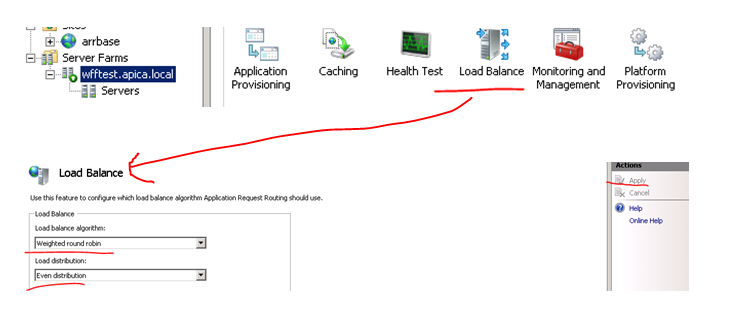
Hello from machine <asp:Label Id="lblMachineName" runat="server" />
<div>
	<div>Enter your first name: <asp:TextBox runat="server" ID="txtFirstName"></asp:TextBox></div>
	<div>Enter your last name: <asp:TextBox runat="server" ID="txtLastName"></asp:TextBox></div>
	<asp:Button Text="Click me" ID="btnSubmit" OnClick="btnSubmit_Click" runat="server" />
</div>

The Submit button has the following click event:

protected void btnSubmit_Click(object sender, EventArgs e)
{
	Session["Firstname"] = txtFirstName.Text;
	Session["Lastname"] = txtLastName.Text;
	Response.Redirect("~/About.aspx");
}

I modified the HTML on About.aspx as follows:

<article>
	Hello from machine <asp:Label Id="lblMachineName" runat="server" />
        <p>        
		<asp:Label Text="" ID="lblFirstName" runat="server" /><br />
		<asp:Label Text="" ID="lblLastName" runat="server" />
        </p>
</article>

…with the Page_Load event of About.aspx.cs looking like this:

protected void Page_Load(object sender, EventArgs e)
{
	if (!IsPostBack)
	{
		lblFirstName.Text = Session["Firstname"] != null ? string.Concat("Your first name is: ",   Convert.ToString(Session["Firstname"])) : "There's no First name in the session!";
		lblLastName.Text = Session["Lastname"] != null ? string.Concat("Your last name is: ", Convert.ToString(Session["Lastname"]))	: "There's no Last name in the session!";
		lblMachineName.Text = System.Environment.MachineName;
	}
}

I believe this is easy to follows. Let’s now deploy the project as it is without making changes to session handling and see what happens. So I fill in my first and last name and press the Click me button and… …I got an exception saying that validation of viewstate MAC has failed:

MAC validation failed

So we are required to change the session state management anyway. I took the following steps to set up a state service:

  1. Picked a development machine separate from the web farm machines but still within the same intranet
  2. Started the Windows service called ASP.NET State Service on that machine
  3. Changed the registry key HKEY_LOCAL_MACHINE\SYSTEM\CurrentControlSet\Services\aspnet_state\Parameters\AllowRemoteConnection value to 1 on that machine and restarted the state service
  4. Declared in web.config that session state must be handled through a state server using the address of the state server, which is the dev machine in my case I mentioned under point 1
  5. I inserted a machine key in web.config which will be common to all machines in the web farm

So I redeploy the web app and land on the primary machine. I enter my first and last name and press the button:

Enter first and last name on primary machine

…and…

Session state management on state server successful

That’s looking really good. We ended up on a different machine and the state is still available. Refresh the About page to land on different machines and you’ll see that the state is available.

OK, let’s try to save the session in a database now. I performed the following steps:

  1. Set up the ASPState table in a database available to all machines in the web farm using the aspnet_regsql.exe tool: aspnet_regsql.exe -ssadd -sstype p -S [database machine name] -U [db admin username] -P [db admin password]
  2. Check the database and I see the following table structure: ASPState table successfully created
  3. Update the sessionState tag in web.config (details below)

My sessionState element in web.config looks as follows:

<sessionState mode="SQLServer" allowCustomSqlDatabase="true" sqlConnectionString="ASPStateConnectionString">
</sessionState>

…where ASPStateConnectionString refers to a connection string in web.config which has the following format:

<add name="ASPStateConnectionString" connectionString="Data Source=[DB machine name];Initial Catalog=ASPState;User ID=xxx;Password=xxxxx"
   providerName="System.Data.SqlClient" />

I deploy the web app as usual and perform the same test as above. It went well so I check the entries in the ASPState database:

ASPNet table session values

So we have successfully tested the most basic session management features for an IIS web farm.

A short addition: you can add an extra level of security to the database type of solution by synchronising your primary SQL server with a secondary one which serves as a failover solution. You can achieve this using the technology called SQL AlwaysOn. That way if your primary server fails then the sessions will be available from your failover server. If you find that the database solution is too slow but don’t want to take the risk of your state server going down then you can check out Memcached which is a free tool that offers a highly available short-term caching solution. An alternative solution is CouchBase.

Conclusion and possible improvements

We currently have the following model:

Blog WFF model

This is a good foundation but we still have a couple of vulnerability points:

  • ARR doesn’t provide high availability and scalability in itself – the solution is to set up an identical load balancing machine with ARR and NLB and install NLB on the existing ARR machine as well. Here‘s a good guide on how to proceed. The key idea is to provide a virtual IP for the two ARR+NLB machines where NLB is responsible for high availability
  • ARR and WFF are located on the same machine, but there’s nothing stopping you from putting them on two different machines: if this machine dies then WFF can still control the web farm
  • Set up another state DB machine and put SQL AlwaysOn in place in order to synchronise it with the main state DB
  • The WFF controller can still die and then there’s no content replication from the primary server to the secondary ones: at present this cannot be helped, i.e. there’s no high availability solution for the controller machine in WFF2.2 – your best bet is to monitor this machine externally and react quickly if it goes offline and avoid deploys during this time. However, even if it goes down your web farm will still be responding to web request – provided that the load balancer is located on a different machine
  • The primary server can of course also go down meaning you cannot deploy to it and WFF will not be able to replicate its content to the secondary servers – the solution is straightforward: just designate another primary server, check the screenshot below

To designate a secondary server as the primary one in the WFF GUI:

Designate a secondary server as the primary one

Right-click the secondary server name and select “Designate as Primary Server” from the context menu.

So if we implement the solutions suggested above to solve the weak points of our current architecture we may end up with something like this:

Wff finalised structure

This is a cost-effective high availability and high scalability system using well tested and reliable software solutions. You can add new web servers to your farm and then update the servers list on the ARR+NLB machines and on the WFF controller.

Caching

We haven’t talked much about caching yet. Say that you’d like to cache the results of the database query using one of the several built-in caching mechanisms in .NET: ObjectCache, HttpCache etc. If you cache the result on web farm machine A then that cached value will not be available on machine B automatically. Both machine A and B will have the cached value in their memory eventually if the web requests are routed to both of them, but their expiry date will be different. Maybe machine A will fetch a more recent result of the database query than machine B because machine B stores the value with a later expiry date. So essentially we’ll need a similar distributed solution for caching as for session management: the cached values should be available on separate machines that all web farm members have access to. We mentioned Memcached and CouchBase before in this post. They are both really good products with a .NET library.

CouchBase has an advantage over Memcached: in case you set up more than one external cache machine – a good idea if you need a failover solution here as well – then it’s desirable for the cache machines to synchronise their cache data as soon as there’s a change. We don’t want to the cache machines to return different objects for the same cache key, right? Memcached servers don’t talk to each other so you may actually end up with that scenario. CouchBase servers however provide synchronisation: say that web farm member A writes to the cache; this object with a certain cache key will be sent to the CouchBase server cluster. CouchBase will make sure that all cache machines in the cluster will have this updated value.

You can even use CouchBase to take care of session management for you if you don’t like the database solution outlined above. You replace the sessionState node in web.config to use an external session management solution. After all, session values are key-value pairs, much like cached objects.

Pre-compiled web package

One last improvement that I want to mentioned is pre-compiled websites. In the present solution if you deploy the web package then it must be compiled on the server when the first web request comes in after the deploy. This can cause a slight delay in the response time for the first visitor. It is possible with MSDeploy to pre-compile your web project before deploy. You can even automate that using your Continuous Integration server, such as TeamCity.

If you perform all the suggested improvements then you’ll end up with a distributed system which has the following characteristics:

  • High availability
  • High scalability
  • Distributed, highly available cache service
  • Distributed, highly available session state service
  • Automated content replication
  • Seamless deployment from the client’s point of view: the cache and the state are still available during and after a web deploy and the client doesn’t see a longer response time on the first web request

Web farms in .NET and IIS using Web Farm Framework 2.2 part 2: provisioning a server farm

By the end of the previous post we had a system with 4 machines up and running: a controller with WFF installed, a primary web farm server and two secondary web farm servers. We also saw an example of application synchronisation using WFF. In this post we’ll look at application and platform provisioning.

Content mirroring

By default all content of the primary server is mirrored to the secondary servers. The first thing I want to check is whether web sites and their folder content are copied over. Let’s log on to the primary server and create a new website. Don’t worry about the URL and the binding, I’ve created the following:

Create test website on primary server

A quick look at the trace messages on the controller shows the following:

Trace message after website creation

So far so good, our changes have been noted and apparently the sync process has started. I’ll make a couple of changes to the hello.com application pool to see if those changes are mirrored as well:

Changes to the application pool

I’ll also simulate a deploy and place an empty index.html file in the deployment folder I created on the primary server, c:\hello. I’ll now check the status on the secondary servers. I can see that all elements have been correctly mirrored:

Changes to website applied to secondsary server

Platform provisioning

With platform provisioning you can synchronise the secondary servers with the modules installed on the primary server. You can also select the interval between sync cycles. You can open the platform provisioning options by selecting the name of the server farm you created and then double-clicking the Platform Provisioning icon:

Open platform provisioning options

This opens the Platform Provisioning window:

Platform provisioning window

The purpose of the two checkboxes and the Sync interval textbox is easy to understand I believe. You can then select products to provision in the Additional Products section. At first this is confusing as the list will be empty and you may think there are no products available. You’ll need to double-click the product name row to bring up a list of products. I selected the PHP Manager for IIS package, but feel free to select whatever you want. Select Apply when you’re done:

Apply platform provisioning

Clicking Apply will bring up the list of products that the web platform installer will provision. Click I Accept and let’s see what happens. Select the Servers node in the Connections pane and you’ll see that synchronisation has started. The changes have been noted:

Handle configuration change status after applying provisioning

The servers are brought offline one by one:

Remove one server at a a time during platform provisioning

The first machine has been temporarily removed from the farm while the provisioning process takes place. You’ll see the related trace messages as well:

Trace messages during platform provisioning

Of course I want to verify that the selected product has been deployed to the secondary servers and it has indeed:

Platform provisioning successful

There’s another way to install products on the servers. You can even install the product on all machines of the web farm or just a selected one. If you want to install a product on the web farm then select the name of the web farm in the Connections pane on IIS on the controller machine and click the Install Products link:

Install products link at web farm level

If you wish to install a product on a specific machine then select one of the servers under the Servers node. You’ll find the same link as shown above under the Actions pane to the right. In either case the Install Products window will open where you can select the products to be installed:

Install products window

Application provisioning

This is similar to platform provisioning but it’s dedicated to Web Deploy. If you recall from the previous post WFF has a dependency on Web Deploy 2.0 so is is here where it is heavily used. You can open Application provisioning as follows:

Open application provisioning

The options look similar to what you saw under platform provisioning. You’ll need to double click the Provider cell to bring up all MSdeploy providers:

Application provisioning options

These are all MSDeploy providers, so you can automate MSDeploy commands. You can find the list of providers and what they do here and their settings here. The path will be the folder where the provider will be installed. You can open the settings, i.e. the MSDeploy program arguments by clicking the ellipsis:
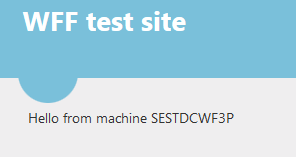

Open provider settings MSDeploy

Server operations

You can perform operations on the server farm or individual machines in the farm. The term operation is quite wide in this case and can be grouped into 4 categories:
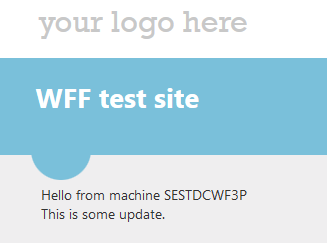
  • Provisioning: besides the types of provisioning mentioned above you can e.g. update Windows or get a list of installed products
  • Windows services: you can control the Windows services installed on the target machine(s), change their state and reboot them.
  • Diagnostics: get a list of processes and requests running on the machine(s)
  • Server: test your servers

Let’s look at a couple of examples. These are all available on the controller machine. If you’d like to perform operations on the web farm level then click the Server Farm Operations link:

Open server farm operations

You can find a similar link if you open the web farm node and select one of the machines:

Open operations on a single server

The link will open the Server Operations window where you’ll recognise the categories from the list above:

Server farm operations window

Click on the categories and subcategories to open the parameters you can provide to the operation. Most of them are quite self-explanatory, such as the Windows Update or Install Products option. Click the ‘Run’ button when you’re done and the results of the operation will be shown in the small panel in the bottom. The results will be presented in an XML format. The Query Installed Products produces an output similar to the following:

Query installed products operations result

It’s not easy to look at the result in that small panel. If you want to view the details then copy and paste it to a text editor.

You can get the processes and requests running on the server under the Diagnostics and monitoring section. You can leave the filtering text boxes empty if you want to retrieve a full list:

Get processes operations result

This gives you the list of processes as you can see them in the Task Manager serialised into XML.

In the next post we’ll see how to deploy a real web site in the sample web farm.

Elliot Balynn's Blog

A directory of wonderful thoughts

Software Engineering

Web development

Disparate Opinions

Various tidbits

chsakell's Blog

WEB APPLICATION DEVELOPMENT TUTORIALS WITH OPEN-SOURCE PROJECTS

Once Upon a Camayoc

ARCHIVED: Bite-size insight on Cyber Security for the not too technical.