Adjusting the date in Java 8 Date and Time API

Introduction

We saw a couple of new concepts in the Java 8 Date and Time API on this blog:

All the above classes expose methods called “with” with a couple of overloads. LocalDate, LocalTime and LocalDateTime come with other methods whose names start with “with”, such as withSeconds or withMonth depending on the supported level of time unit. The “with” methods adjust some value of the date-related instances and return a new instance.

Examples

Here’s how you can adjust the day within the month of the LocalDate instance:

LocalDate currentLocalDate = LocalDate.now();
LocalDate dayOfMonthAdjusted = currentLocalDate.withDayOfMonth(12);

The above code will set the day to the 12th of the month of “currentLocalDate” and return the new LocalDate instance “dayOfMonthAdjusted”. Here come some similar adjusters:

LocalDate currentLocalDate = LocalDate.now();
LocalDate dayOfYearAdjusted = currentLocalDate.withDayOfYear(234);

I wrote this post in the year of 2014 so the year value of currentLocalDate was 2014. withDayOfYear will set the day within the year starting from Jan 01. The value of 234 will set the “dayOfYearAdjusted” to 2014-08-22.

The withMonth and withYear modify the month and year values respectively.

LocalTime has similar methods: withHour, withMinute, withSecond and withNano that behave the same way as e.g. withMonth in the case of the LocalDate class.

LocalDateTime has all those methods available: from withYear down to withNano as that class supports these levels of granularity.

TemporalAdjuster

The “with” methods of the previous section are not available for the Instant class. There’s however an interesting overload of “with” for both LocalDate and Instant, the one which accepts a TemporalAdjuster object. The following example will set find the most recent Monday relative to the current day:

LocalDate previousMonday = currentLocalDate.with(TemporalAdjusters.previous(DayOfWeek.MONDAY));

Similarly, you can find the following Monday:

LocalDate nextMonday = currentLocalDate.with(TemporalAdjusters.next(DayOfWeek.MONDAY));

The following code will find the 3rd Monday of the current month:

LocalDate thirdMonday = currentLocalDate.with(TemporalAdjusters.dayOfWeekInMonth(3, DayOfWeek.MONDAY));

TemporalAdjusters has some more interesting constants, the method names are pretty descriptive:

  • firstDayOfMonth
  • firstDayOfNextMonth
  • lastInMonth and firstInMonth which accepts a DayOfWeek enumeration, i.e. you can find the first/last Monday, Tuesday etc. of a given month
  • lastDayOfMonth

Read the next part on Java 8 Dates here.

View all posts related to Java here.

Java 8 Date and time API: the Instant class

The Date and time API in Java 8 has been completely revamped. Handling dates, time zones, calendars etc. had been cumbersome and fragmented in Java 7 with a lot of deprecated methods. Developers often had to turn to 3rd party date handlers for Java such as Joda time.

One of many new key concepts in the java.time package of Java 8 is the Instant class. It represents a point of time in a continuous timeline where this time point is accurate to the level of nanoseconds.

The immutable Instant class comes with some default built-in values:

Instant now = Instant.now();
Instant unixEpoch = Instant.EPOCH;
Instant minimumInstant = Instant.MIN;
Instant maximumInstant = Instant.MAX;
  • “now”, as the name suggests, represent the current date, or current instance of time in the UTC time zone.
  • “unixEpoch” will be the traditional UNIX epoch date from 1970 January 1 midnight. This is also an important point of reference of the timeline of the Instant class. E.g. the date 2014-01-01 will have a positive number as the “seconds since EPOCH” whereas 1960-01-01 will get a negative value for the same property.
  • The minimum value of the Instant class is exactly 1 billion years ago, denoted as ‘-1000000000-01-01T00:00Z’ in the documentation. This is the starting point of the timeline of the Instant class
  • The maximum value is consequently the last moment of the year of 1 billion. This is the end point of the timeline of the Instant class

Example

Suppose you’d like to measure the time it takes to run a method:

Instant start = Instant.now();
Thread.sleep(10000);
Instant end = Instant.now();
Duration duration = Duration.between(start, end);
long seconds = duration.getSeconds();

There we see yet another new object from the java.time package, namely Duration. The Duration object allows to easily retrieve the time span between two dates and retrieve the days, hours, seconds etc. of that time span. In this case “seconds” will be equal to 10 as expected.

Note, however, that the Instant class cannot be used for date purposes such as February 23 2013. There’s no concept of years, months and days in the Instant class like we have in Date and Calendar in Java 7. If you’re looking to handle dates then LocalDate, LocalDateTime and LocalTime classes will be more useful. Check out the the link at the end of this post to find the posts on these and various other date-related classes in Java 8.

Duration

The Duration class has a number of useful methods. Duration is very similar to the Period class we saw in the post referenced in the previous paragraph. Here come some examples.

Duration.between

Suppose you have two Duration classes and you’d like to see which one was longer. The “compareTo” method will help you:

Instant startOne = Instant.now();
Thread.sleep(1000);
Instant endOne = Instant.now();
Duration durationOne = Duration.between(startOne, endOne);

Instant startTwo = Instant.now();
Thread.sleep(100);
Instant endTwo = Instant.now();
Duration durationTwo = Duration.between(startTwo, endTwo);
    
int compareTo = durationOne.compareTo(durationTwo);

compareTo will be 1 in the above example as the first part of the comparison, i.e. durationOne is longer. It will be -1 if comparisonTwo is longer and 0 if they are of equal length.

divideBy

You can also divide a duration by a value to see how many sections of that value fit into a duration:

Duration dividedBy = durationOne.dividedBy(10);
long toMillis = dividedBy.toMillis();

Here we want to divide durationOne, i.e. 100 millis by 10 millis. The variable “dividedBy” will almost always get the value 10 as 100 / 10 = 10 but the exact timing can depend on the code execution when “startOne” and “startTwo” are created, so you might see 11 sometimes.

isZero

This is to check if two instances happened at the same time, i.e. there’s no duration between them:

Duration zeroDuration = Duration.between(startOne, startOne);
boolean zero = zeroDuration.isZero();

“zero” will be true in this case.

isNegative

isNegative will occur if the end date occurred before the start date. I’m not sure how that scenario can occur but let’s deliberately supply the wrong values to the between method:

Duration negativeDuration = Duration.between(endOne, startOne);
boolean negative = negativeDuration.isNegative();

“negative” will be true.

Plus and minus methods

You’ll find a range of methods whose names start with “plus” and “minus”. They are meant to add and subtract time units to and from a Duration instance. Examples:

Duration minusMinutes = durationOne.minusMinutes(10);
Duration plusDays = durationOne.plusDays(2);
Duration plus = durationOne.plus(durationTwo);

Read the next post on Java 8 Dates here.

View all posts related to Java here.

Java 8 Date and time API: the LocalDateTime class

Introduction

In this post we saw how to represent dates on the level of days, such as 2014-10-05 using the LocalDate class. This post discussed the usage of LocalTime to show the point of time within the 24-hr clock, such as 11:45:43.

LocalDate has no concept of time units below the day level. LocalTime has no concept of time above the level of hours. However, what if you need to represent the date as 2014-10-05 11:45:43, i.e. with both the day and time sections? You can turn to the aptly named LocalDateTime class which marries LocalTime and LocalDate.

The usage of LocalDateTime is very similar to both LocalDate and LocalTime. You can quickly read through the posts referenced above for further information. Most date-related methods are common for LocalDate, LocalTime and LocalDateTime.

LocalDateTime

You can get the current local date-time as follows:

LocalDateTime now = LocalDateTime.now();

This will get the current date according to the default time zone of your computer.

You can construct a new LocalDateTime instance using the various static “of” methods, e.g.

LocalDateTime someDateInPast = LocalDateTime.of(2014, Month.MAY, 23, 10, 23, 43);

You can add/subtract some units of time using the “plus” and “minus” methods. The “until” method will find the time span between the two time points in the provided unit of measurement:

LocalDateTime later = now.plusMinutes(321);
long until = now.until(later, ChronoUnit.MINUTES);

“until” will be 321 minutes as expected.

We saw that in the case of LocalDate and LocalTime not all enumeration types of ChronoUnit are supported which is due to the allowed level of granularity. LocalDateTime allows for all values in the enumeration, from nanoseconds to eras – defined as 1 billion years in Java 8, i.e. you can measure the difference between two LocalDateTime instances in terms of nanoseconds ranging to eras – as long as the “long” type supports them which might not be the case with nanoseconds given a large enough time range.

The isAfter and isBefore methods work as the method names imply:

LocalDateTime now = LocalDateTime.now();
LocalDateTime someDateInPast = LocalDateTime.of(2014, Month.MAY, 23, 10, 23, 43);
boolean before = now.isBefore(later);
boolean after = now.isAfter(later);

“before” will be true and “after” will be false as expected.

You can extract the LocalDate and LocalTime portions of LocalDateTime using the toLocalDate and toLocalTime methods:

LocalDate toLocalDate = now.toLocalDate();
LocalTime toLocalTime = now.toLocalTime();

You can extract the various portions of the LocalDateTime instance using the various “get” methods, such as:

LocalDateTime someDateInPast = LocalDateTime.of(2014, Month.MAY, 23, 10, 23, 43);
DayOfWeek dayOfWeek = someDateInPast.getDayOfWeek();
int dayOfYear = someDateInPast.getDayOfYear();
int year = someDateInPast.getYear();

The returned values are “FRIDAY”, 143 – i.e. the date in someDateInPast was the 143rd day in the year of 2014 -, and 2014 respectively.

View all posts related to Java here.

Java 8 Date and time API: the LocalTime class

Introduction

In this post we saw how to handle local date values to the level of days with the LocalDate object. A typical point in time handled through this object is e.g. 2014-03-02. There’s no concept of hours and minutes in that object.

LocalTime

The “time of day” equivalent of LocalDate is LocalTime and its usage is very similar. I recommend you read through the post referenced above as many methods, like the “plus” and “minus” ones still apply in the same form. LocalTime will have no concept of days, months and years. You can use this class if e.g. some of your logic depends on the time of day every day, regardless of the calendar day.

Here’s how you can find the current time of day:

LocalTime now = LocalTime.now();

This will find the current time in the default time zone of your computer.

You can also create a time using the “of” static method. You’ll set the time to 5:32am as follows:

LocalTime early = LocalTime.of(5, 32);

You can add/subtract some units of time using the “plus” and “minus” methods. The “until” method will find the difference between the two time points in the provided unit of measurement:

LocalTime now = LocalTime.now();
LocalTime later = now.plusHours(2);
long until = now.until(later, ChronoUnit.MINUTES);

“until” will be 120 as there are 120 minutes from “now” until “now + 2 hrs” of course. However, if you run this code at e.g. 23:30 in your time zone then “until” will be a negative value as 23:30 plus 2 hrs is 01:30. There’s no “next day” in LocalTime so “until” in that case will be -1320 which is the same as -22 hrs.

Only those ChronoUnit enumerations are valid that make sense for the LocalTime class: Minutes, hours, seconds, etc., anything under the level of days. If you’re not sure then you can check if the ChronoUnit is supported using the isSupported method:

boolean supported = now.isSupported(ChronoUnit.CENTURIES);

The above code will yield “false”.

The isAfter and isBefore methods work as the method names imply:

LocalTime now = LocalTime.now();
LocalTime later = now.plusMinutes(10);
boolean before = now.isBefore(later);
boolean after = now.isAfter(later);

However, be careful with the return values. Just like above, it depends on when during the day you run this code so don’t assume that “before” will always be true and “after” will always be false in the above example. If you run this code at 23:58 then the return values will be the exact opposite as 23:58 + 10 minutes = 00:08 which will be before 23:58 and 23:58 comes after 00:08.

You can use the overridden “compareTo” method in a similar manner – it will return -1, 0 or 1 depending on which side of the comparison comes first – but again the result will depend on the exact timing.

In the next post we’ll look at the LocalDateTime class.

View all posts related to Java here.

Java 8 Date and time API: the LocalDate class

Introduction

The Date and time API in Java 8 has been completely revamped. Handling dates, time zones, calendars etc. had been cumbersome and fragmented in Java 7 with a lot of deprecated methods. Developers often had to turn to 3rd party date handlers for Java such as Joda time.

One of many new key concepts in the java.time package of Java 8 is the immutable LocalDate class. A LocalDate represents a date at the level of days such as April 04 1988.

LocalDate

You can easily get hold of the current date of the default time zone of the local computer – in my case it’s CET:

LocalDate localDate = LocalDate.now();

…or you can construct a date using the static “of” method:

LocalDate someDayInApril = LocalDate.of(1988, Month.APRIL, 4);

LocalDate comes with the following constants:

  • LocalDate.MAX: ranges until year-month-day of ‘+999999999-12-31’
  • LocalDate.MIN: reaches as far back as years-months-days ‘-999999999-01-01’

Period

The Period class is strongly related to LocalDate. You can find the time span between two LocalDate instances using the “until” method which returns a Period object:

Period timeSpan = someDayInApril.until(localDate);
int years = timeSpan.getYears();
int months = timeSpan.getMonths();
int days = timeSpan.getDays();

At the time of writing this post there were 26 years, 6 months and 27 days between the two dates.

The Period class has a static “between” method to achieve the same:

Period between = Period.between(someDayInApril, localDate);

…which yields the same time difference as the “until” method above.

Normalisation

A period can be normalised so that values like 13 months can be changed to 1 year and 1 month instead. Let’s create a 23-month period and normalise it:

Period ofMonths = Period.ofMonths(23);
Period normalized = ofMonths.normalized();

“normalized” will have 1 year and 11 months for the getYears and getMonths values respectively. “ofMonth” would have 0 years and 23 months instead.

Let’s test this with days:

Period ofDays = Period.ofDays(4322);
Period daysNormalised = ofDays.normalized();

In this case, however, both will yield getDays = 4322, years and months will be 0. This is expected as the number of days in a month can vary so the calculation would be based on some average, like 30 days at best but that result would almost certainly be incorrect. The previous example succeeded as the number of months in a year is set.

Zero period

The isZero() method of Period returns true if we compare two periods and they refer to the same date:

Period zeroPeriod = someDayInApril.until(someDayInApril);
boolean zero = zeroPeriod.isZero();

…zero will be “true”.

Negative period

Negative periods occur if we compare two LocalDate instances and take the later date as point of reference in the comparison:

Period negativePeriod = localDate.until(someDayInApril);
boolean negative = negativePeriod.isNegative();

“negative” will be true. The year, month and day values will be -26, -6 and -27.

You can easily transform that into a positive period though:

Period negated = negativePeriod.negated();

The year, month and day values of “negated” will be 26, 6 and 27.

Multiplication

You can multiply a Period with an integer which will multiply the year, month and day values with that integer without normalising the date. So in case you need to get a twice as long period you can do as follows:

Period twiceAsLong = ofDays.multipliedBy(2);

Plus and minus methods

Both the LocalDate and the Period classes have methods whose names start with “plus” or “minus” which serve to add or subtract a certain amount of time to and from a date/period. Examples:

LocalDate plusDays = localDate.plusDays(20);
LocalDate minusYears = localDate.minusYears(15);
Period minusMonths = between.minusMonths(11);

You can probably guess what these operations do.

Total number of time units

What if you’d like to know the total number of days between two LocalDate instances? The “until” method has an overload that you can use. E.g. here’s how you find the total number of days between “localDate” and “someDayInApril”:

long until = someDayInApril.until(localDate, ChronoUnit.DAYS);

…which at this time gives 9706 days. The ChronoUnit enumeration in the java.time.temporal package has other values to find the total number of “x” between two local dates but not all of them are supported in the “until” operation. E.g. you cannot calculate the number of hours or nanoseconds between two LocalDate instances. Any level of detail more fine grained than DAYS will throw an exception of type java.time.temporal.UnsupportedTemporalTypeException as LocalDate is only available at the day level: there’s no concept of hours, minutes etc. in the case of LocalDate.

In the next post we’ll look at the LocalTime class.

View all posts related to Java here.

Creating an Amazon Beanstalk wrapper around a Kinesis application in Java

Introduction

Suppose that you have a Java Amazon Kinesis application which handles messages from the Amazon message queue handler Kinesis. This means that you have a method that starts a Worker object in the com.amazonaws.services.kinesis.clientlibrary.lib.worker library.

If you are developing an application that is meant to process messages from Amazon Kinesis and you don’t know what I mean by a Kinesis app then check out the Amazon documentation on the Kinesis Client Library (KCL) here.

The starting point for this post is that you have a KCL application and want to host it somewhere. One possibility is to deploy it on Amazon Elastic Beanstalk. You cannot simply deploy a KCL application as it is. You’ll need to wrap it within a special Kinesis Beanstalk worker wrapper.

The Beanstalk wrapper application

The wrapper is a very thin Java Maven web application which can be deployed as a .war file. If you’ve done any web-based Java development then the .war file extension will be familiar to you. It’s really like a .zip file that contains the project – you can even rename a .war file to a .zip file and unpack it like you would do with any compressed .zip file.

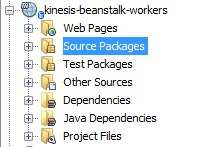
The wrapper can be cloned from GitHub. Once you have cloned it onto your computer you can open with a Java IDE such as NetBeans or Eclipse. I personally use NetBeans so the snapshots will show that environment. You’ll see the following folders after opening the project:

Beanstalk wrapper in NetBeans

NetBeans will load the dependencies in the POM file automatically. If you’re using something else or prefer to run Maven from the command prompt then here’s the mvn command to execute:

mvn clean compile war:war

The .war file will be placed in the “target” folder as expected. The wrapper will have all the basic dependencies to run an Amazon app such as the AWS SDK, Jackson, various Apache packages etc. In case your KCL app has some external dependencies on its own then those will need to be part of the wrapper app as well. Example: in my case one dependency of my KCL app was commons-collections4-4.0.jar. As this particular Apache dependency wasn’t by default available in the Beanstalk KCL wrapper I had to add it to its POM file. Do that for any such dependency.

The Source Packages folder includes a single Java file called KinesisWorkerServletInitiator.java. It is very short and has the following characteristics:

  • The overridden contextInitialized method will be executed automatically upon application start
  • It will look for a value in a query parameter called “PARAM1”
  • PARAM1 is supposed to be a fully qualified class name
  • The class name refers to a class in the Kinesis application that includes a public parameterless method called “run”
  • KinesisWorkerServletInitiator.java will look for this method and execute it through Reflection

We’ll come back to PARAM1 shortly.

So you’ll need to have a public method called “run” in the KCL app that the wrapper can call upon. Note that you of course change the body of the Kinesis wrapper as you wish. In my case I had to pass in a string parameter to the “run” method so I modified the Reflection code to look for a “run” method which accept a single string argument:

final Class consumerClass = (Class) Class.forName(consumerClassName);
final Method runMethod = consumerClass.getMethod("run", String.class);
runMethod.setAccessible(true);
final Object consumer = consumerClass.newInstance();

.
.
.

@Override
public void run()
{
         try
         {
               m.invoke(o, messageType);
         } catch (Exception e)
         {
               e.printStackTrace();
               LOG.error(e);
         }
}

You can put the run method anywhere – or even change its name and the wrapper app implementation will need to follow. I’ve put mine in the same place as the main method – the “run” method is really nothing else than the KCL application entry point from the Beanstalk wrapper’s point of view. When you test the KCL app locally then the main method will be executed first. When you run it from Beanstalk “run” will be executed first. Therefore the easiest implementation is simply to call “run” from “main” but you may have different needs for local execution. Anyway, you probably get the idea with the “run” method: it will start a Worker which in turn will process the Kinesis messages as you implemented the IRecordProcessor.processRecords method.

Take note of the full name of the class that has the run method. Open the containing class and check the package name, say “com.company.kinesismessageprocessor”. Then check the class name such as KinesisApplication so the full name will be com.company.kinesismessageprocessor.KinesisApplication. You can even put this as a default consumer class name in the Beanstalk wrapper in case PARAM1 is not available:

@Override
public void contextInitialized(ServletContextEvent arg0)
{
        String consumerClassName = System.getProperty(param);
        if (consumerClassName == null) 
        {
            consumerClassName = defaultConsumingClass;
        }
.
.
.
}

…where defaultConsumingClass is a private String holding the above mentioned class name.

The actual wrapping

Now we need to put the KCL application into the wrapper. Compile the KCL app into a JAR file. Copy the JAR file into the following directory of the Beanstalk wrapper web app:

drive:\directory-to-wrapper\src\main\WebContent\WEB-INF\lib

The JAR file should be visible in the project. In my case it looks as follows:

Drop KCL app into Beanstalk wrapper

Compile the wrapper app and the .war file should be ready for upload

Upload

While creating a new application in Beanstalk you will be able to upload the .war file. You’ll be able to upload a new version through the UI of the application:

Beanstalk deployment UI

You’ll be able to configure the Beanstalk app using the Configuration link on the left hand panel:

Configuration link for a Beanstalk app

This is where you can set the value for PARAM1:

Software configuration link in Beanstalk

Define PARAM1 for Beanstalk app

You’ll be able to enter the fully qualified name of the consumer class with the method “run” in the above table. If you don’t like the name “PARAM1” you can add your own parameters in the bottom of the screen and modify the name in code as well.

Troubleshooting

You can always look at the logs:

Request logs from Beanstalk app

You can then search for “exception” or “error” in the log file to check if e.g. an unhandled exception occurred in the application which stops it from functioning correctly.

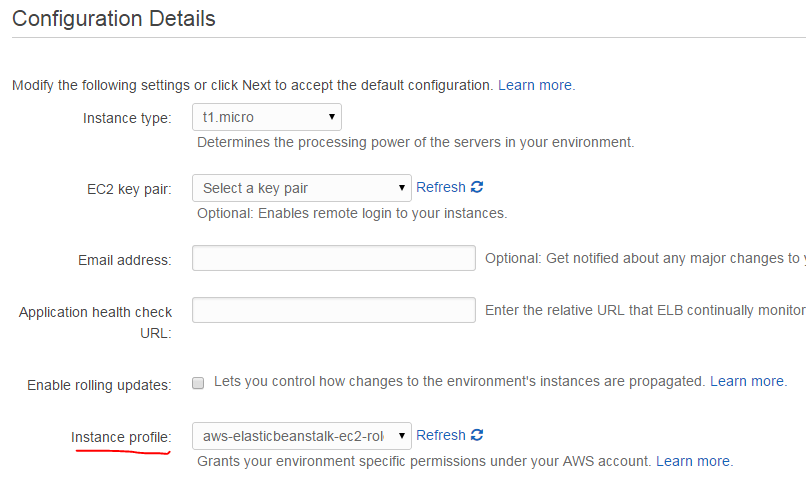
A common issue is related to roles. When you created the Beanstalk app you have to select a specific IAM role here:

Select IAM role in Beanstalk app

The Beanstalk app will run under the selected role. If the KCL app needs to access other Amazon services, such as S3 or DynamoDb then the selected role must have access to those resources at the level defined by the KCL app. E.g. if the KCL app needs to put a record into a DynamoDb table then the Beanstalk role must have “dynamodb:PutItem” defined. You can edit this in the IAM console available here. Select the appropriate role and extend the role JSON under “Manage policy”:

Modify role in IAM console

View all posts related to Amazon Web Services here.

The Java Stream API part 5: collection reducers

Introduction

In the previous post we saw how to handle an ambiguous terminal reduction result of a Stream. There’s in fact another type of reducer function in Java 8 that we haven’t discussed so far: collectors, represented by the collect() function available for Stream objects. The first overload of the collect function accepts an object that implements the Collector interface.

Implementing the Collector interface involves implementing 5 functions: a supplier, an accumulator, a combiner, a finisher and characteristics provider. At this point I’m not sure how to implement all those methods. Luckily for us the Collectors object provides a long range of ready-made implementing classes that can be supplied to the collect function.

Purpose and first example

Collectors are similar to Maps and the Reducers we’ve seen up to now in this series at the same time. Depending on the exact implementation you take the collect function can e.g. map a certain numeric field of a custom object into an intermediary stream and calculate the average of that field in one step.

Let’s see that in action. We’ll revisit our Employee class:

public class Employee
{
    private UUID id;
    private String name;
    private int age;

    public Employee(UUID id, String name, int age)
    {
        this.id = id;
        this.name = name;
        this.age = age;
    }
        
    public UUID getId()
    {
        return id;
    }

    public void setId(UUID id)
    {
        this.id = id;
    }

    public String getName()
    {
        return name;
    }

    public void setName(String name)
    {
        this.name = name;
    }    
    
    public int getAge()
    {
        return age;
    }

    public void setAge(int age)
    {
        this.age = age;
    }
    
    public boolean isCool(EmployeeCoolnessJudger coolnessJudger)
    {
        return coolnessJudger.isCool(this);
    }
    
    public void saySomething(EmployeeSpeaker speaker)
    {
        speaker.speak();
    }
}

We’ve seen that some aggregation functions have ready-made methods in the Stream class: min, max, count and some others. However, there’s nothing for counting the average. What if I’d like to calculate the average age of my employees?

List<Employee> employees = new ArrayList<>();
        employees.add(new Employee(UUID.randomUUID(), "Elvis", 50));
        employees.add(new Employee(UUID.randomUUID(), "Marylin", 18));
        employees.add(new Employee(UUID.randomUUID(), "Freddie", 25));
        employees.add(new Employee(UUID.randomUUID(), "Mario", 43));
        employees.add(new Employee(UUID.randomUUID(), "John", 35));
        employees.add(new Employee(UUID.randomUUID(), "Julia", 55));        
        employees.add(new Employee(UUID.randomUUID(), "Lotta", 52));
        employees.add(new Employee(UUID.randomUUID(), "Eva", 42));
        employees.add(new Employee(UUID.randomUUID(), "Anna", 20)); 

It may not be obvious at first but the collect function can perform that – and a lot more. The Collectors class includes a ready-made implementation of Collector: averagingInt which accepts a ToIntFunction of T. The ToIntFunction will return an integer from the T object. In our case we need the age values so we can calculate the average age as follows:

ToIntFunction<Employee> toInt = Employee::getAge;
Double averageAge = employees.stream().collect(Collectors.averagingInt(toInt));     

averageAge will be 37.78.

Other examples

Collect all the names into a string list:

List<String> names = employees.stream().map(Employee::getName).collect(Collectors.toList());     

Compute sum of all ages in a different way:

int totalAge = employees.stream().collect(Collectors.summingInt(Employee::getAge));

Let’s change the age values a little before the next example:

employees.add(new Employee(UUID.randomUUID(), "Elvis", 50));
        employees.add(new Employee(UUID.randomUUID(), "Marilyn", 20));
        employees.add(new Employee(UUID.randomUUID(), "Freddie", 20));
        employees.add(new Employee(UUID.randomUUID(), "Mario", 30));
        employees.add(new Employee(UUID.randomUUID(), "John", 30));
        employees.add(new Employee(UUID.randomUUID(), "Julia", 50));
        employees.add(new Employee(UUID.randomUUID(), "Lotta", 30));
        employees.add(new Employee(UUID.randomUUID(), "Eva", 40));
        employees.add(new Employee(UUID.randomUUID(), "Anna", 20));    

We can group the employees by age into a Map of Integers:

Map<Integer, List<Employee>> employeesByAge = employees.stream().collect(Collectors.groupingBy(Employee::getAge));  

Here you’ll see that the key 20 will have 3 employees, key 50 will have 2 employees etc.

You can also supply another Collector to the groupingBy function if you want to have some different type as the value in the Map. E.g. the following will do the same as above except that the value will show the number of employees within an age group:

Map<Integer, Long> employeesByAge = employees.stream().collect(Collectors.groupingBy(Employee::getAge, Collectors.counting()));

You can partition the collection based on some boolean condition. Here we build a Map by putting the employees into one of two groups: younger than 40 or older. The partitionBy function will help solve this:

Map<Boolean, List<Employee>> agePartitioning = employees.stream().collect(Collectors.partitioningBy(emp -> emp.getAge()>= 40));

agePartitioning will have 6 employees who are younger than 40 and 3 who are either 40 or older which is the correct result.

You can create something like an ad-hoc toString() function:

String allEmployees = employees.stream().map(emp -> emp.getName().concat(",  ").concat(Integer.toString(emp.getAge()))).collect(Collectors.joining(" | "));

The above function will go through each employee, create a “name + , + age” string of each of them and then join all individual strings by a pipe character. The result will look like this:

Elvis, 50 | Marilyn, 20 | Freddie, 20 | Mario, 30 | John, 30 | Julia, 50 | Lotta, 30 | Eva, 40 | Anna, 20

Notice that the collector was intelligent not to put the pipe character after the last element.

The Collectors class has a lot more ready-made collectors. Just type “Collectors.” in an IDE which supports IntelliSense and you’ll be able to view the whole list. Chances are that if you need to perform a composite MapReduce operation on a collection then you’ll find something useful here.

This post concludes our discussion on the new Stream API in Java 8.

View all posts related to Java here.
The Java Stream API part 4: ambiguous reductions

Introduction

In the previous post we looked at the Reduce phase of the Java Stream API. We also discussed the role of the identity field in reductions. For example an empty integer list can be summed as the result of the operation will be the identity field.

Lack of identity

There are cases, however, where the identity field cannot be provided, such as the following functions:

  • findAny(): will select an arbitrary element from the collection stream
  • findFirst(): will select the first element
  • max(): finds the maximum value from a stream based on some compare function
  • min(): finds the minimum value from a stream based on some compare function
  • reduce(BinaryOperator): in the previous post we used an overloaded version of the reduce function where the ID field was provided as the first parameter. This overload is a generic version for all reduce functions where the first element is unknown

It made sense to supply an identity field for the summation function as it was used as the input into the first loop. For e.g. max() it’s not as straightforward. Let’s try to find the highest integer using the same reduce() function as before and pretend that the max() function doesn’t exist. A simple integer comparison function for an integers list is looping through the numbers and always taking the higher of the two being inspected:

Stream<Integer> integerStream = Stream.of(1, 2, 2, 70, 10, 4, 40);
        BinaryOperator<Integer> maxComparator = (i1, i2) ->
        {
            if (i1 > i2)
            {
                return i1;
            }
            return i2;
        };

Now we want to use the comparator in the reduce function and provide an identity. What value could we use to be sure that the first element in the comparison loop will always “win”? I.e. we need a value that will always be smaller than 1 in the above case so that 1 will be compared with 2 in the following step, assuming a sequential execution. In “hand-made” integer comparisons the first initial max value is usually the absolute minimum of an integer, i.e. Integer.MIN_VALUE. Let’s try that:

Integer handMadeMax = integerStream.reduce(Integer.MIN_VALUE, maxComparator);

handMadeMax will be 70. Similarly, a hand-made min function could look like this:

BinaryOperator<Integer> minComparator = (i1, i2) ->
        {
            if (i1 > i2)
            {
                return i2;
            }
            return i1;
        };

Integer handMadeMin = integerStream.reduce(Integer.MAX_VALUE, minComparator);

handMadeMin will yield 1.

So this solution works in most cases – except when the integer list is empty or if you have numbers that lie outside the int.max and int.min range in which case you’d use Long anyway. E.g. if you’re mapping some integer field from a list of custom objects, like the Employee class we saw in previous posts. If your search provides no Employee objects then the resulting integer collection will also be empty. What is the max value of an empty integer collection if we go with the above solution? It will be Integer.MIN_VALUE. We can simulate this scenario as follows:

Stream<Integer> empty = Stream.empty();
Integer handMadeMax = empty.reduce(Integer.MIN_VALUE, maxComparator);

handMadeMax will in fact be Integer.MIN_VALUE as it is the only element in the comparison loop. Is that the correct result? Not really. I’m not exactly what the correct mathematical response is but it is probably ambiguous.

Short tip: the Integer class has a built in comparator for min and max:

Integer::min
Integer::max

Optionals

Java 8 solves this dilemma with a new object type called Optional of T. The functions listed in the previous section all return an Optional. The max() function accepts a Comparator and we can use our good friends from Java 8, the lambda expressions to implement the Comparator interface and use it as a parameter to max():

Comparator<Integer> intComparatorAnonymous = Integer::compare;        
Optional<Integer> max = integerStream.max(intComparatorAnonymous);

An Optional object reflects the ambiguity of the result. It can be a valid integer from a non-empty integer collection or… …something undefined. The Optional object can be tested with the isPresent() method which returns true of there’s a valid value behind the calculation:

if (max.isPresent())
{
     int res = max.get();
}

“res” will be 70 as expected. If we perform the same logic on an empty integer list then isPresent() return false.

If there’s no valid value then you can use the orElse method to define a default without the need for an if-else statement:

Integer orElse = max.orElse(123);

You can also throw an exception with orElseThrow which accepts a lambda function that returns a Throwable:

Supplier<Exception> exceptionSupplier = () -> new Exception("Nothing to return");
Integer orElse = max.orElseThrow(exceptionSupplier);

A full map-filter-reduce example

Let’s return to our Employee object:

public class Employee
{
    private UUID id;
    private String name;
    private int age;

    public Employee(UUID id, String name, int age)
    {
        this.id = id;
        this.name = name;
        this.age = age;
    }
        
    public UUID getId()
    {
        return id;
    }

    public void setId(UUID id)
    {
        this.id = id;
    }

    public String getName()
    {
        return name;
    }

    public void setName(String name)
    {
        this.name = name;
    }    
    
    public int getAge()
    {
        return age;
    }

    public void setAge(int age)
    {
        this.age = age;
    }
    
    public boolean isCool(EmployeeCoolnessJudger coolnessJudger)
    {
        return coolnessJudger.isCool(this);
    }
    
    public void saySomething(EmployeeSpeaker speaker)
    {
        speaker.speak();
    }
}

We have the following employees list:

List<Employee> employees = new ArrayList<>();
        employees.add(new Employee(UUID.randomUUID(), "Elvis", 50));
        employees.add(new Employee(UUID.randomUUID(), "Marilyn", 18));
        employees.add(new Employee(UUID.randomUUID(), "Freddie", 25));
        employees.add(new Employee(UUID.randomUUID(), "Mario", 43));
        employees.add(new Employee(UUID.randomUUID(), "John", 35));
        employees.add(new Employee(UUID.randomUUID(), "Julia", 55));
        employees.add(new Employee(UUID.randomUUID(), "Lotta", 52));
        employees.add(new Employee(UUID.randomUUID(), "Eva", 42));
        employees.add(new Employee(UUID.randomUUID(), "Anna", 20));

Suppose we need to find the maximum age of all employees under 50:

  • map: we map all age values to an integer list
  • filter: we filter out those that are above 50
  • reduce: find the max of the filtered list

The three steps can be described in code as follows:

Stream<Integer> employeeAges = employees.stream().map(emp -> emp.getAge());
Stream<Integer> filter = employeeAges.filter(age -> age < 50);
Optional<Integer> maxAgeUnderFifty = filter.max(Integer::compare);
if (maxAgeUnderFifty.isPresent())
{
     int res = maxAgeUnderFifty.get();
}

“res” will be 43 which is the correct value.

Let’s see another example: check if any employee under 50 has a name start starts with an M. We’re expecting “true” as we have Marilyn aged 18. We’ll first need to filter out the employees based on their ages, then map the names to a string collection and finally check if any of them starts with an M:

Stream<Employee> allUnderFifty = employees.stream().filter(emp -> emp.getAge() < 50);
Stream<String> allNamesUnderFifty = allUnderFifty.map(emp -> emp.getName());
boolean anyMatch = allNamesUnderFifty.anyMatch(name -> name.startsWith("M"));

anyMatch will be true as expected.

View the next part of this series here.

View all posts related to Java here.

The Java Stream API part 3: the Reduce phase

Introduction

In the previous part of the Java Stream API course we looked at streams in more detail. We discussed why streams are really empty shells to describe our intentions but do not themselves contain any data. We saw the difference between terminal and intermediary operations and we looked at a couple of examples for both types. At the end of the post we discussed the first part of the MapReduce algorithm i.e. the map() and flatMap() functions.

We’ll move onto the Reduce phase of the MapReduce algorithm.

Reduce

Now that we know how to do the mapping we can look at the “Reduce” part of MapReduce. In .NET there is a range of pre-defined Reduce operations, like the classic SQL ones such as Min, Max, Sum, Average. There are similar functions – reducers – in the Stream API.

The most generic method to represent the Reduce phase is the “reduce” method. We’ll return to our Employee collection to run the examples:

List<Employee> employees = new ArrayList<>();
        employees.add(new Employee(UUID.randomUUID(), "Elvis", 50));
        employees.add(new Employee(UUID.randomUUID(), "Marylin", 18));
        employees.add(new Employee(UUID.randomUUID(), "Freddie", 25));
        employees.add(new Employee(UUID.randomUUID(), "Mario", 43));
        employees.add(new Employee(UUID.randomUUID(), "John", 35));
        employees.add(new Employee(UUID.randomUUID(), "Julia", 55));        
        employees.add(new Employee(UUID.randomUUID(), "Lotta", 52));
        employees.add(new Employee(UUID.randomUUID(), "Eva", 42));
        employees.add(new Employee(UUID.randomUUID(), "Anna", 20)); 

Say we want to calculate the sum of the ages in the collection. Not a very useful statistics but it’s fine for the demo. We can see the Map and Reduce phases in action:

Stream<Integer> employeeAges = employees.stream().map(emp -> emp.getAge());
int totalAge = employeeAges.reduce(0, (empAge1, empAge2) -> empAge1 + empAge2);

A quick tip, the lambda expression…:

(empAge1, empAge2) -> empAge1 + empAge2

…can be substituted with the static sum() method of Integer using the :: shorthand notation:

Integer::sum

The first line maps the Employee objects into integers through a lambda expression which selects the age property of each employee. Then the stream of integers is reduced by the “reduce” function. This particular overload of the reduce function accepts an identity for the reducer function and the reducer function itself.

Let’s look at the reducer function first. It is of type BinaryOperator from the java.util.function package which we discussed in this post. It is a specialised version of the BiFunction interface which accepts two parameters and returns a third one. BinaryOperator assumes that the input and output parameters are of the same type. In the above example we want to add the ages of the employees therefore we pass in two age integers and simply add them. As the reduce function is terminal, we can read the result in “totalAge”. In its current form totalAge will be equal to 340 which is in fact the sum of the ages.

The identity field will be an initial input into the reducer. If you run the above code with an identity of 100 instead of 0 then totalAge will be 440. The identity parameter will be inserted into the equation to calculate the first result, i.e. 0 + 50 = 50, which will be passed into the second step, i.e. 50 + 18 = 68 which in turn will be used as a parameter in the next step, and so on and so forth. Note that the reductions steps may well be executed in parallel without you adding any extra code. Hence don’t assume anything about the correct ordering of the steps but it doesn’t really matter as we’re adding numbers.

To make this point clearer let’s suppose we want to multiply all ages, i.e. 50*18*25…. We’ll need to change the age values otherwise not even a long will be able to hold the total. Let’s go with some small numbers – and risk being accused of favouring child employment:

List<Employee> employees = new ArrayList<>();
        employees.add(new Employee(UUID.randomUUID(), "Elvis", 1));
        employees.add(new Employee(UUID.randomUUID(), "Marylin", 2));
        employees.add(new Employee(UUID.randomUUID(), "Freddie", 3));
        employees.add(new Employee(UUID.randomUUID(), "Mario", 4));
        employees.add(new Employee(UUID.randomUUID(), "John", 5));
        employees.add(new Employee(UUID.randomUUID(), "Julia", 6));        
        employees.add(new Employee(UUID.randomUUID(), "Lotta", 7));
        employees.add(new Employee(UUID.randomUUID(), "Eva", 8));
        employees.add(new Employee(UUID.randomUUID(), "Anna", 9)); 

What do you think will be the result of the below calculation?

Stream<Integer> employeeAges = employees.stream().map(emp -> emp.getAge());
int totalAge = employeeAges.reduce(0, (empAge1, empAge2) -> empAge1 * empAge2);

Those who responded with “0” are correct. 0 is passed in as the first parameter in the first step along with the first age. 0 multiplied by any number is 0 so even the second step will yield 0 and so on. So for a multiplication you’ll need to provide 1:

Stream<Integer> employeeAges = employees.stream().map(emp -> emp.getAge());
int totalAge = employeeAges.reduce(1, (empAge1, empAge2) -> empAge1 * empAge2);

…where totalAge will hold the correct value of 362880.

The identity value has another usage as well: if the source stream is empty after a terminal operation, i.e. if “employees” has no Employee objects at all then even the “employeeAges” stream will be empty. In that case the reduce function has nothing to work on so the identity value will be returned.

Example:

List<Employee> employees = new ArrayList<>();
Stream<Integer> employeeAges = employees.stream().map(emp -> emp.getAge());
int totalAge = employeeAges.reduce(10, (empAge1, empAge2) -> empAge1 + empAge2);

totalAge will be 10.

Also, if the source stream yields only one element then the result will be that element and the identity combined.

Example:

List<Employee> employees = new ArrayList<>();
employees.add(new Employee(UUID.randomUUID(), "Elvis", 50));
Stream<Integer> employeeAges = employees.stream().map(emp -> emp.getAge());
int totalAge = employeeAges.reduce(10, (empAge1, empAge2) -> empAge1 + empAge2);

totalAge will be 10 + 50 = 60.

There are other Reduce functions for streams that are pretty self-explanatory:

  • count()
  • allMatch(), noneMatch(), anyMatch()
  • min, max
  • findFirst, findAny

We will look at min, max, findFirst and findAny in the next post as they are slightly different from the others.

One last note before we finish: if you try to run two terminal operations on the same stream then you’ll get an exception. You can only execute one terminal operation on a stream and it will be closed after that. To prevent that you should avoid assigning a variable to the stream and instead call [collection].stream() every time you want to create a new stream.

In the next post we’ll take a look at cases when the reducer function may not return anything.

View all posts related to Java here.

The Java Stream API part 2: the Map phase

Introduction

In the previous post we started looking into the new Stream API of Java 8 which makes working with collections easier. LINQ to Collections in .NET makes it a breeze to run queries on lists, maps – dictionaries in .NET – and other list-like objects and Java 8 is now coming with something similar. My overall impression is that LINQ in .NET is more concise and straightforward than the Stream API in Java.

In this post we’ll investigate Streams in greater detail.

Lazy execution of streams

If you’re familiar with LINQ statements in .NET then the notion of lazy or deferred execution is nothing new to you. Just because you have a LINQ statement, such as…

IEnumerable<Customer> customers = from c in DbContext.Customers where c.Id > 30 select c;

…the variable “customers” will not hold any data yet. You can execute the filter query with various other non-deferring operators like “ToList()”. We have a similar situation in the Stream API. Recall our Java code from the previous part:

Stream<Integer> of = Stream.of(1, 2, 4, 2, 10, 4, 40);
Predicate<Integer> pred = Predicate.isEqual(4);
Stream<Integer> filter = of.filter(pred);

The object called “filter” will at this point not hold any data. Writing the C# LINQ statement above won’t execute anything – writing of.filter(pred) in Java won’t execute anything either. They are simply declarations that describe what we want to do with a Collection. This is true for all methods in the Stream interface that return another Stream. Such operations are called intermediary operations. Methods that actually “do something” are called terminal operations or final operations.

Recall our Employee class from the previous part. We also had a list of employees:

List<Employee> employees = new ArrayList<>();
employees.add(new Employee(UUID.randomUUID(), "Elvis", 50));
.
.
.
employees.add(new Employee(UUID.randomUUID(), "Anna", 20));

Based on the above statements about a Stream object, can you guess what the List object called “filteredNames” will contain?

List<String> filteredNames = new ArrayList<>();
Stream<Employee> stream = employees.stream();
        
Stream<Employee> peekEmployees = employees.stream().peek(System.out::println);
Stream<Employee> filteredEmployees = peekEmployees.filter(emp -> emp.getAge() > 30);
Stream<Employee> peekFilteredEmployees = filteredEmployees.peek(emp -> filteredNames.add(emp.getName()));

The “peek” method is similar to forEach but it returns a Stream whereas forEach is void. Here we simply build Stream objects from other Stream objects. Those who answered “nothing” in response to the above questions were correct. “filteredNames” will remain an empty collection as we only declared our intentions to filter the source. The first “peek” method which invokes println won’t be executed, there will be nothing printed on the output window.

So if you’d like to “execute your intentions” then you’ll need to pick a terminal operation, such as forEach:

List<String> filteredNames = new ArrayList<>();
Stream<Employee> stream = employees.stream();
       
Stream<Employee> peekEmployees = employees.stream().peek(System.out::println);
Stream<Employee> filteredEmployees = peekEmployees.filter(emp -> emp.getAge() > 30);
filteredEmployees.forEach(emp -> filteredNames.add(emp.getName()));

The forEach loop will fill the filteredNames list correctly. Also, the System.out::println bit will be executed.

The map() operation

We mentioned the MapReduce algorithm in the previous post as it is extensively used in data mining. We are looking for meaningful information from a data set using some steps, such as Map, Filter and Reduce. We don’t always need all of these steps and we saw some very simple examples before. The Map step is represented by the map() intermediary operation which returns another Stream – hence it won’t execute anything:

Stream<Employee> employeeStream = employees.stream();
Stream<String> employeeNamesStream = employeeStream.map(emp -> emp.getName());

Our intention is to collect the names of the employees. We can do it as follows:

List<String> employeeNames = new ArrayList<>();
Stream<Employee> employeeStream = employees.stream();
employeeStream.map(emp -> emp.getName()).forEach(employeeNames::add);

We can also do other string operations like here:

List<String> employeeNames = new ArrayList<>();
Stream<Employee> employeeStream = employees.stream();
employeeStream.map(emp -> emp.getId().toString().concat(": ").concat(emp.getName())).forEach(employeeNames::add);

…where the employeeNames list will contain concatenated strings of the employee ID and name.

The flatMap() operation

You can use the flatMap operation to flatten a stream of streams. Say we have 3 different Employee lists:

List<Employee> employeesOne = new ArrayList<>();
employeesOne.add(new Employee(UUID.randomUUID(), "Elvis", 50));
employeesOne.add(new Employee(UUID.randomUUID(), "Marylin", 18));
employeesOne.add(new Employee(UUID.randomUUID(), "Freddie", 25));
employeesOne.add(new Employee(UUID.randomUUID(), "Mario", 43));
        
List<Employee> employeesTwo = new ArrayList<>();
employeesTwo.add(new Employee(UUID.randomUUID(), "John", 35));
employeesTwo.add(new Employee(UUID.randomUUID(), "Julia", 55));        
employeesTwo.add(new Employee(UUID.randomUUID(), "Lotta", 52));
        
List<Employee> employeesThree = new ArrayList<>();
employeesThree.add(new Employee(UUID.randomUUID(), "Eva", 42));
employeesThree.add(new Employee(UUID.randomUUID(), "Anna", 20));

Then suppose that we have a list of lists of employees:

List<List<Employee>> employeeLists = Arrays.asList(employeesOne, employeesTwo, employeesThree);

We can collect all employee names as follows:

List<String> allEmployeeNames = new ArrayList<>();
        
employeeLists.stream()
                .flatMap(empList -> empList.stream())
                .map(emp -> emp.getId().toString().concat(": ").concat(emp.getName()))
                .forEach(allEmployeeNames::add);

We first flatten the streams from the individual Employee lists then run the map function to retrieve the concatenated IDs and names. We finally put the elements into the allEmployeeNames collection.

Find the next post here where we go through the Reduce phase.

View all posts related to Java here.

Elliot Balynn's Blog

A directory of wonderful thoughts

Software Engineering

Web development

Disparate Opinions

Various tidbits

chsakell's Blog

WEB APPLICATION DEVELOPMENT TUTORIALS WITH OPEN-SOURCE PROJECTS

Once Upon a Camayoc

ARCHIVED: Bite-size insight on Cyber Security for the not too technical.