Finding all Windows Services using WMI in C# .NET
September 11, 2017 Leave a comment
In this post we saw how to retrieve all logical drives using Windows Management Instrumentation – WMI -, and here how to find all network adapters.
Say you’d like to get a list of all Windows Services and their properties running on the local – “root” – machine, i.e. read the services listed here:
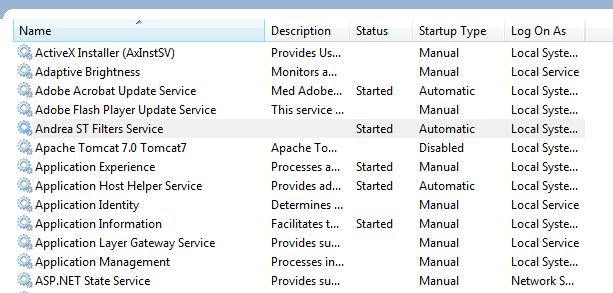
The following code will find all non-null properties of all Windows services found:
private static void ListAllWindowsServices()
{
	ManagementObjectSearcher windowsServicesSearcher = new ManagementObjectSearcher("root\\cimv2", "select * from Win32_Service");
	ManagementObjectCollection objectCollection = windowsServicesSearcher.Get();

	Console.WriteLine("There are {0} Windows services: ", objectCollection.Count);

	foreach (ManagementObject windowsService in objectCollection)
	{
		PropertyDataCollection serviceProperties = windowsService.Properties;
		foreach (PropertyData serviceProperty in serviceProperties)
		{
			if (serviceProperty.Value != null)
			{
				Console.WriteLine("Windows service property name: {0}", serviceProperty.Name);
				Console.WriteLine("Windows service property value: {0}", serviceProperty.Value);
			}
		}
		Console.WriteLine("---------------------------------------");
	}
}
At the time of writing this post I had 196 services running on my PC. Here’s an example of the output for the Adobe Flash Player Update service:

Once you know the property names of the WMI class then you can extend the SQL query. E.g. here’s how to find all non-running services:
ManagementObjectSearcher windowsServicesSearcher = new ManagementObjectSearcher("root\\cimv2", "select * from Win32_Service where Started = FALSE");
You can view all posts related to Diagnostics here.
 About Andras Nemes
 Exercises in .NET with Andras Nemes